TL;DR
Brave vs Firefox: Both Brave and Firefox are excellent browsers. Brave is better for users who prefer open source solutions, while Firefox excels for those who value transparency.
Which is better: Brave or Firefox?
Both Brave and Firefox are excellent browsers. Brave is better for users who prefer open source solutions, while Firefox excels for those who value transparency.
Brave vs Firefox
Which is the better browsers for Mac in 2026?
We compared Brave and Firefox across 5 key factors including price, open-source status, and community adoption. Both Brave and Firefox are excellent browsers. Read our full breakdown below.
Brave
Privacy-focused browser with built-in ad blocking
Firefox
Web browser focused on privacy
Visual Comparison
Brave
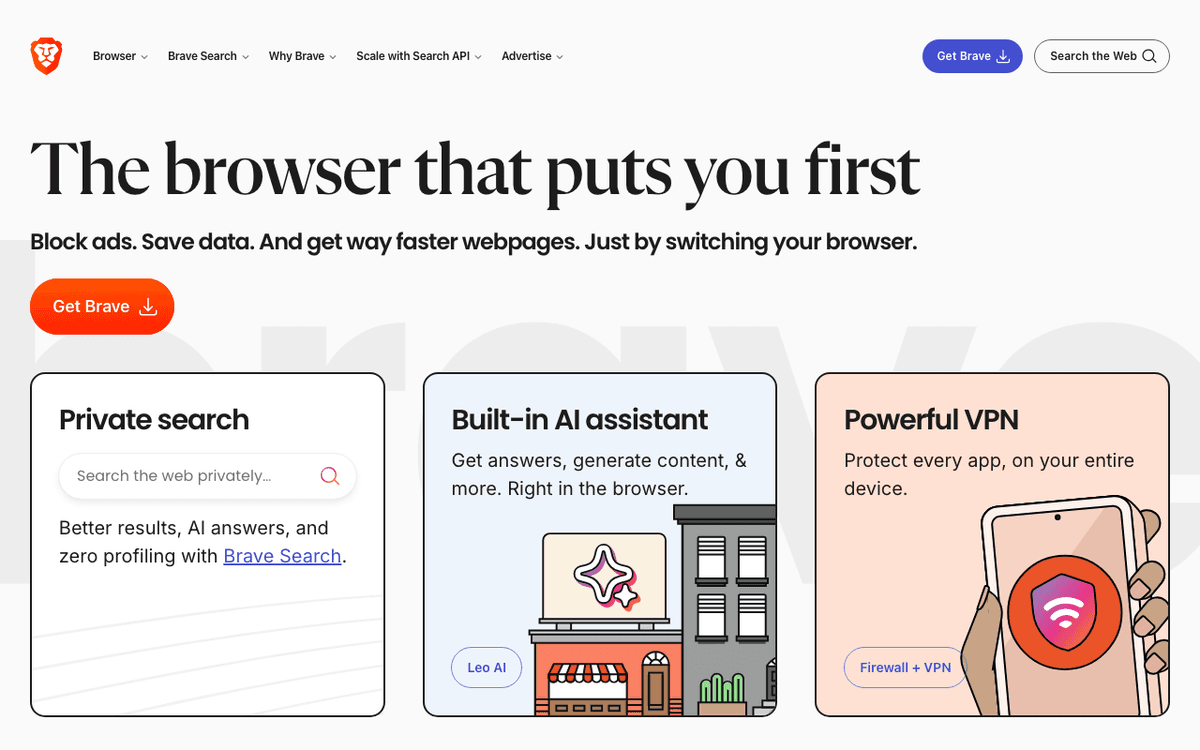
Brave — Official Website
Firefox
Firefox — Official Website
Our Verdict
Both Brave and Firefox are excellent browsers. Brave is better for users who prefer open source solutions, while Firefox excels for those who value transparency.
Feature Comparison
| Feature | Brave | Firefox |
|---|---|---|
| Price | Free | Free |
| Open Source | Yes | Yes |
| Monthly Installs | N/A | N/A |
| GitHub Stars | N/A | N/A |
| Category | Web Browsers | Web Browsers |
Quick Install
brew install --cask brave-browserbrew install --cask firefoxLearn More
In-Depth Overview
What is Brave Browser?
Brave is a privacy-first web browser built on Chromium that fundamentally reimagines how users interact with the web and advertising. Developed by Brave Software Inc., it blocks ads, trackers, and fingerprinting by default through its 'Shields' feature, dramatically improving page load speeds and reducing data usage. As of 2026, Brave offers Brave Search as its default search engine—a privacy-respecting alternative to Google—and includes Leo, an AI assistant that runs locally or via privacy-preserving APIs. Brave's most distinctive feature is its Basic Attention Token (BAT) ecosystem, which allows users to earn cryptocurrency rewards for viewing privacy-respecting ads and automatically contribute to content creators. The browser syncs across devices without requiring an account, using encrypted device-to-device connections instead. With built-in Tor private browsing, IPFS support for decentralized web access, and aggressive anti-fingerprinting measures, Brave positions itself as the complete privacy solution for users who want Chrome compatibility without Google's data collection.
What is Firefox?
Firefox is the flagship web browser from Mozilla, a non-profit organization dedicated to keeping the internet open and accessible. Built on Mozilla's own Gecko rendering engine (with ongoing Servo component integration), Firefox remains the last major browser not based on Chromium, ensuring true browser engine diversity on the web. As of May 2026, Firefox version 150.x continues to emphasize user privacy with Enhanced Tracking Protection that blocks social media trackers, cross-site cookies, and cryptominers. Firefox offers extensive customization through about:config for power users while maintaining an approachable interface for everyday browsing. Mozilla's commitment to transparency is reflected in its open-source development model and privacy-first defaults. The browser integrates seamlessly with Mozilla's ecosystem including Firefox Relay for masked emails, Mozilla VPN for network protection, and Firefox Monitor for breach alerts. With Pocket integration for saving content and a vast library of extensions through addons.mozilla.org, Firefox balances privacy, performance, and usability for users who value independence from Big Tech monopolies.
Detailed Feature Comparison
Ad & Tracker Blocking
CriticalBrave Shields blocks ads, trackers, fingerprinting, and third-party cookies by default. Offers granular per-site controls with sliders for ads/trackers, fingerprinting, and cookies. Includes 'Forgetful Browsing' to clear site data automatically. Shields can be set to Aggressive mode for maximum protection.
Enhanced Tracking Protection blocks social trackers, cross-site cookies, cryptominers, and fingerprinters by default in Standard mode. Strict mode offers additional protection but may break some sites. Firefox recently improved Facebook Container isolation and Total Cookie Protection to prevent cross-site tracking.
Verdict: Brave's Shields provide more granular control and aggressive default blocking, while Firefox prioritizes balance between protection and compatibility.
Search Engine Integration
HighDefaults to Brave Search, an independent privacy-focused search engine with its own index. Brave Search offers 'Goggles' for customizable search rankings and doesn't track queries. Users can add other search engines but Brave Search provides the most integrated experience.
Firefox allows easy search engine switching with a visible dropdown in the search bar. Defaults vary by region (often Google or DuckDuckGo). Mozilla has partnerships that fund development but users retain full control to change defaults without deep settings navigation.
Verdict: Brave Search offers a truly independent, privacy-first search experience with unique features like Goggles. Firefox offers more flexibility for changing engines on the fly.
Built-in AI Assistant
HighLeo is Brave's built-in AI assistant available in the sidebar. The free tier uses Llama models locally or remotely with privacy guarantees. Leo Premium ($14.99/mo) offers higher rate limits and priority access. Conversations are not used for model training, maintaining privacy.
Firefox does not include a built-in AI assistant as of 2026. Users can install extensions for AI features but there's no native integration comparable to Leo or Edge Copilot. Mozilla focuses on privacy-preserving AI partnerships rather than native assistants.
Verdict: Brave Leo provides a privacy-first AI assistant deeply integrated into the browsing experience. Firefox lacks native AI features, requiring extensions for similar functionality.
Extension Ecosystem
HighFull compatibility with Chrome Web Store extensions due to Chromium base. Users can install thousands of extensions designed for Chrome without modification. This includes password managers, productivity tools, and developer extensions.
Firefox uses its own extension format and Add-ons store. While most popular extensions are available, some Chrome-specific tools are missing. Firefox extensions often have deeper browser integration due to the more open extension API. Manifest V3 adoption has caused some friction with extension developers.
Verdict: Brave's Chrome compatibility gives it access to the largest extension ecosystem. Firefox has quality extensions but fewer options overall and some compatibility gaps.
Privacy-First Sync
HighBrave Sync uses device-to-device encryption without requiring email or account creation. A sync chain code connects devices securely. Bookmarks, history, passwords, and open tabs sync end-to-end encrypted. No central server stores readable sync data.
Firefox Sync requires a Firefox Account but provides end-to-end encryption for passwords, bookmarks, history, and open tabs. Mozilla cannot decrypt user data. Sync works reliably across desktop and mobile platforms with optional two-factor authentication.
Verdict: Brave's no-account-required sync offers superior privacy, while Firefox's account-based sync provides additional features like device management and recovery options.
Private Browsing Modes
MediumRegular private windows plus built-in Tor private windows for onion routing. Tor mode routes traffic through three Tor nodes for anonymity. Brave also offers 'Forgetful Browsing' for automatic site data clearing after sessions.
Private Browsing mode blocks trackers and doesn't save history. Firefox recently added Total Cookie Protection to private windows. Container tabs provide additional isolation between sites. However, Firefox lacks built-in Tor integration (requires Tor Browser for onion routing).
Verdict: Brave's built-in Tor support and Forgetful Browsing provide more comprehensive private browsing options than Firefox.
Performance on Apple Silicon
HighNative Apple Silicon support with optimized builds for M1/M2/M3/M4 chips. Brave's aggressive blocking reduces memory usage on heavy pages. Chromium base provides fast JavaScript execution. Some users report higher battery usage during video playback compared to Safari.
Fully optimized for Apple Silicon with Universal Binary support. Gecko engine's Quantum improvements provide competitive JavaScript performance. Firefox generally uses less RAM than Chrome-based browsers for equivalent tab counts. As of version 150, Firefox continues optimizing for macOS-specific features.
Verdict: Both browsers perform excellently on Apple Silicon. Brave may load pages faster due to blocking, while Firefox often uses less memory for equivalent workloads.
Password Management
MediumBuilt-in password manager saves and autofills credentials. Passwords sync across devices via Brave Sync. However, Brave does not offer primary password protection—saved passwords are accessible without authentication once the device is unlocked.
Firefox Lockwise integration provides robust password management. Users can set a Primary Password to encrypt and protect all saved passwords, requiring authentication even on unlocked devices. Password breach monitoring alerts users to compromised credentials.
Verdict: Firefox's Primary Password feature provides superior security for saved passwords. Brave lacks this additional authentication layer.
Brave vs Firefox Feature Matrix
| Feature | Brave | Firefox | Winner |
|---|---|---|---|
| Ad & Tracker Blocking | Excellent | Very Good | Brave |
| Search Engine Integration | Excellent | Very Good | Brave |
| Built-in AI Assistant | Excellent | Fair | Brave |
| Extension Ecosystem | Excellent | Good | Brave |
| Privacy-First Sync | Excellent | Very Good | Brave |
| Private Browsing Modes | Excellent | Very Good | Brave |
| Performance on Apple Silicon | Very Good | Very Good | Tie |
| Password Management | Good | Excellent | Firefox |
Who Should Choose Which?
1The Privacy-Maximalist User
For users who want the most privacy protection with minimal effort, Brave's aggressive default blocking, built-in Tor, fingerprint randomization, and no-account sync provide the deepest privacy feature set without configuration.
2The Chrome Switcher
Users coming from Chrome who want privacy without learning a new interface should choose Brave. Full Chrome extension compatibility and familiar Chromium interface make the transition seamless while gaining privacy.
3The Open Web Advocate
Users who value browser engine diversity and want to support independent web standards should choose Firefox. Its Gecko engine is the last major alternative to Chromium, ensuring the web remains open and competitive.
4The Security-Conscious User with Shared Devices
Users who share computers and want password protection should choose Firefox for its Primary Password feature, which encrypts saved credentials and requires authentication even on unlocked devices.
5The AI-Assisted Researcher
Users who want AI assistance while browsing should choose Brave for Leo, which provides sidebar access to privacy-preserving AI without requiring separate tools or compromising query privacy.
Migration Guide
From_brave Browser → Firefox
Download Firefox and during setup, select the option to import from Brave. Firefox will bring over bookmarks, passwords, history, and form data. Manually export any BAT wallet data if you use Brave Rewards. Install equivalent extensions from addons.mozilla.org—most popular Brave/Chrome extensions have Firefox versions. Adjust to Firefox's permission model for extensions and enable a Primary Password for enhanced credential security. Use Firefox Containers to replicate Brave's context separation if desired.
From_firefox → Brave Browser
Download Brave and choose to import from Chrome during setup—Brave can import Firefox data by treating it as Chrome import. Alternatively, manually export Firefox bookmarks as HTML and passwords as CSV, then import to Brave. Install your Firefox extensions from the Chrome Web Store. Enable Brave Rewards if desired, or disable it in settings. Familiarize yourself with the Shields icon for per-site blocking controls. Configure Brave Search or keep your preferred Firefox search engine in settings.
Final Verdict
tie
Winner
Runner-up
In 2026, Brave and Firefox represent two equally valid but philosophically different approaches to privacy browsing. Brave wins on technical privacy depth, extension compatibility, and innovative features like Leo AI and BAT rewards. Firefox wins on browser engine independence, non-profit trustworthiness, and password security. Neither browser dominates outright—Brave is the better choice for users wanting Chrome compatibility with maximum blocking, while Firefox is better for those prioritizing open web values and simpler privacy. Both score highly and either is a massive privacy upgrade over mainstream alternatives like Chrome or Edge.
Bottom Line: Choose Brave for Chromium compatibility, aggressive blocking, and AI integration. Choose Firefox for browser diversity, non-profit backing, and password security. Both are excellent—your priorities determine the winner.
Video Tutorials
How To Download Brave Browser On Mac
Trevor Nace • 12.2K views
Debloat Brave Browser Now! | Minimal Brave Tutorial
Techlore • 256.4K views
Debloat And Customize Brave Browser | The Minimal Brave Experience
Pixelly Tech • 25.6K views
How To Download Brave Browser On Mac | Easy Guide
MacSafe • 7.0K views
Frequently Asked Questions
About the Author

Explore More on Bundl
Browse browsers apps, read our complete guide, or discover curated bundles.
Related Technologies & Concepts
Related Topics
Privacy-First Browsing
Browsers and tools designed to minimize tracking and protect user data from surveillance capitalism.
Chromium Alternatives
Web browsers not based on Chromium/Blink, maintaining engine diversity on the web.
AI-Integrated Browsers
Web browsers with built-in AI assistants for search, summarization, and assistance.
Cryptocurrency & Web3 Browsers
Browsers with built-in crypto wallets, token rewards, and decentralized web support.
Open Source Web Browsers
Fully open-source browsers with transparent development and community contributions.
Sources & References
Fact-CheckedLast verified: May 8, 2026
Key Verified Facts
- Brave Shields blocks ads, trackers, fingerprinting, and third-party cookies by default.[cite-brave-shields]
- Firefox version 150.x is the current stable release as of May 2026 with Enhanced Tracking Protection enabled by default.[cite-firefox-releases]
- Leo AI Premium costs $14.99 per month for unlimited usage and priority access.[cite-brave-leo-pricing]
- Mozilla VPN costs $4.99 per month with WireGuard encryption.[cite-mozilla-vpn-pricing]
- Firefox uses the Gecko rendering engine, the last major non-Chromium browser engine.[cite-firefox-gecko]
- 1Brave Shields - Privacy Protection Features
Accessed May 8, 2026
- 2Firefox Release Notes - Version 150.0
Accessed May 8, 2026
- 3Brave Leo AI Pricing and Features
Accessed May 8, 2026
- 4Mozilla VPN Pricing and Plans 2026
Accessed May 8, 2026
- 5Firefox - Gecko Engine Documentation
Accessed May 8, 2026
- 6Brave Browser Open Source - Chromium Base
Accessed May 8, 2026
- 7Brave Browser for macOS - Apple Silicon Download
Accessed May 8, 2026
- 8Firefox for macOS - Apple Silicon Support
Accessed May 8, 2026
Research queries: Brave browser 2026 features Leo AI pricing review; Firefox 2026 latest version 150 features review; Brave vs Firefox privacy comparison 2026; Mozilla VPN pricing 2026; Brave Leo AI premium cost 2026