TL;DR
Cursor vs Visual Studio Code: Cursor or Visual Studio Code is still a use-case tie in August 2026. Cursor is the right default when day-to-day work lives inside an agent IDE and Teams controls and Composer throughput matter. VS Code with Copilot is the right default when platform breadth, Remote and Codespaces, a $10 Copilot Pro seat, and published access to Claude Code or Codex agents matter more. GitHub bringing GPT-5.6 Sol, Terra, and Luna to Copilot in July 2026 and Cursor shipping Composer 2.5 in May 2026 kept both sides competitive without flipping the tie. For cursor vs vscode vs windsurf, treat Windsurf as a third AI IDE to bake off, not as a reason to ignore Copilot economics. Most Mac teams pick by where they already pay and by how often agents run.
Which is better: Cursor or Visual Studio Code?
Cursor and Visual Studio Code are both code editors on a Mac, so the pick depends on workflow. Pick Cursor to work in an agent IDE. Pick VS Code to keep Microsoft's editor, add Copilot, and optionally run Claude Code or Codex without a fork. As of September 2026, both install with brew install --cask cursor and brew install --cask visual-studio-code.
Cursor vs Visual Studio Code
Which is the better code editors for Mac in 2026?
We compared Cursor and Visual Studio Code across 6 key factors including price, open-source status, and community adoption. Read our full breakdown below.
Cursor
AI-first code editor built on VS Code
Visual Studio Code
Open-source code editor by Microsoft
Visual Comparison
Cursor
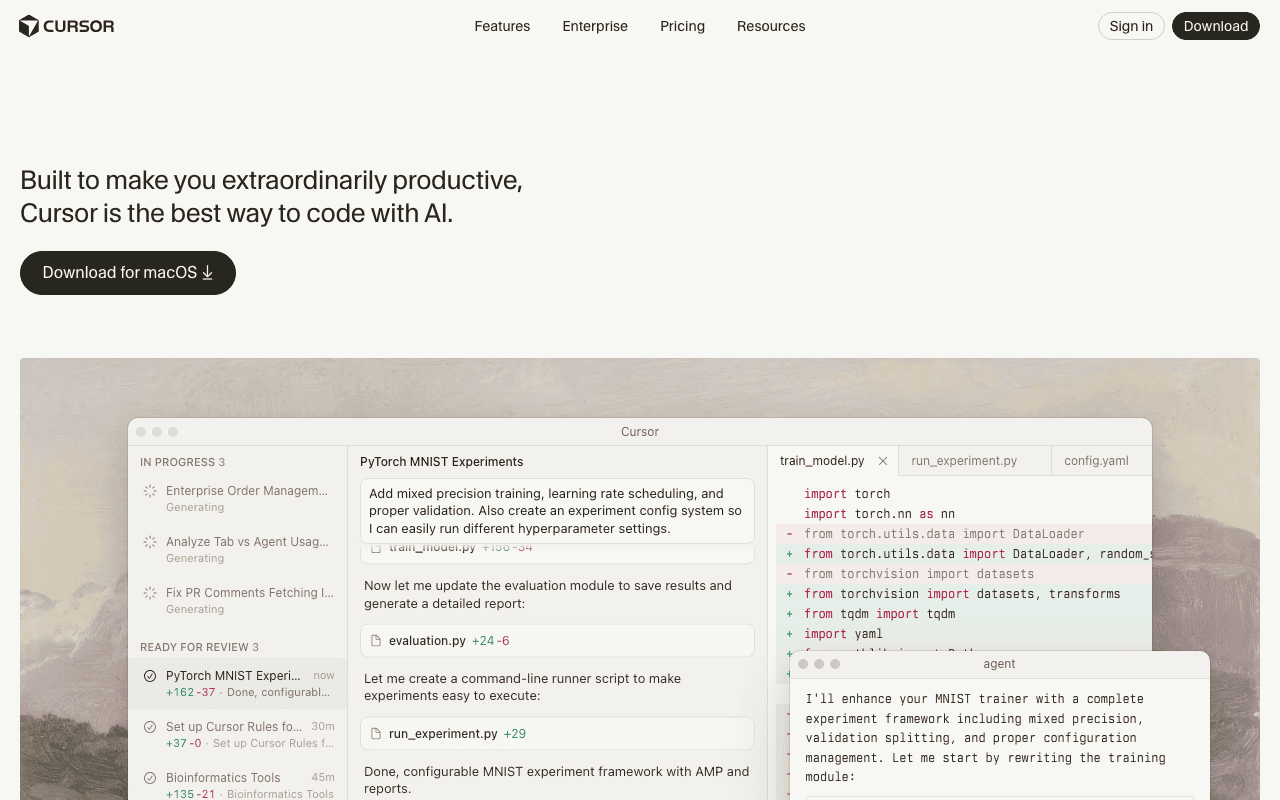
Cursor — Official Website
Visual Studio Code
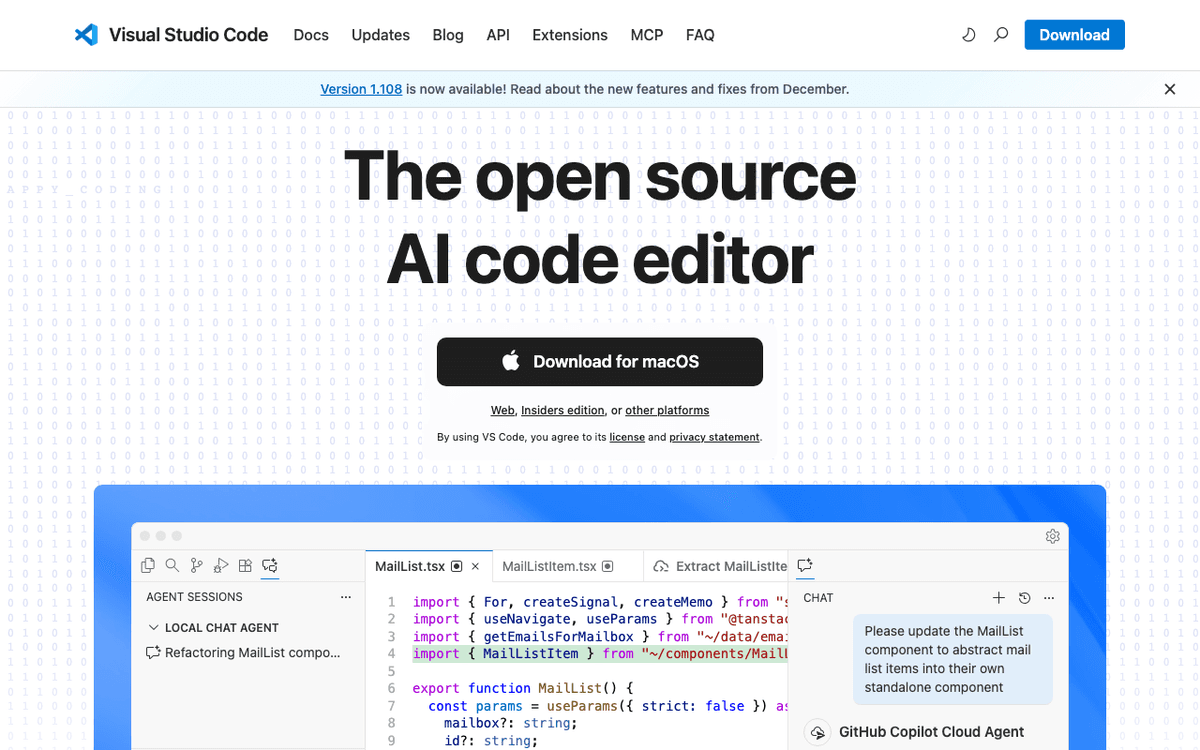
Visual Studio Code — Official Website
Our Verdict
Cursor or Visual Studio Code is still a use-case tie in August 2026. Cursor is the right default when day-to-day work lives inside an agent IDE and Teams controls and Composer throughput matter. VS Code with Copilot is the right default when platform breadth, Remote and Codespaces, a $10 Copilot Pro seat, and published access to Claude Code or Codex agents matter more. GitHub bringing GPT-5.6 Sol, Terra, and Luna to Copilot in July 2026 and Cursor shipping Composer 2.5 in May 2026 kept both sides competitive without flipping the tie. For cursor vs vscode vs windsurf, treat Windsurf as a third AI IDE to bake off, not as a reason to ignore Copilot economics. Most Mac teams pick by where they already pay and by how often agents run.
Feature Comparison
| Feature | Cursor | Visual Studio Code |
|---|---|---|
| Price | Free | Free |
| Open Source | No | No |
| Replaces | GitHub Copilot Pro ($10/month) | Sublime Text ($99) |
| Best for | ai, code editor, ide | code editor, microsoft, extensions |
| Install | brew install --cask cursor | brew install --cask visual-studio-code |
| Category | Developer Tools | Developer Tools |
Quick Install
brew install --cask cursorbrew install --cask visual-studio-codeLearn More
In-Depth Overview
What is Cursor?
Cursor is Anysphere's AI-native code editor, a VS Code fork that keeps extensions, themes, and keybindings while making agents the default surface. In August 2026 it ships Cursor Tab, multi-file Composer and Agent workflows, codebase indexing, MCP tools, skills and hooks, Bugbot review, and Cloud Agents. Composer 2.5 landed 18 May 2026 for longer tasks at $0.50 per million input and $2.50 per million output, with a fast variant at $3 and $15. Paid plans show Hobby free with limited Agent requests, Pro $20, Pro Plus $60, and Ultra $200. Docs describe two usage pools on paid plans: Cursor Models for Composer 2.5 and Grok 4.5, and Other Models for third-party APIs; Pro includes about $20 of third-party usage. Teams changed June 2026 to Standard $40 per user per month ($32 annual) and Premium $120 ($96 annual), with about five times Standard agent limits on Premium. On Apple Silicon and macOS Tahoe 26, index size and agent session length matter more than CPU. Privacy mode helps for regulated code. Forecast token spend per developer, not just seat count. If you are deciding cursor or vscode mainly for Tab quality and Composer autonomy, Cursor is the side that optimises for that daily loop.
What is Visual Studio Code?
Visual Studio Code is Microsoft's free, open-source editor and still the default surface for many teams. In August 2026 the AI story is GitHub Copilot inside VS Code. Individual Copilot plans are Free ($0 with 2,000 completions/month), Pro $10 per user per month with $15 monthly credits, Pro Plus $39 with $70 credits, and Max $100 with $200 credits. On 9 July 2026 GitHub added OpenAI GPT-5.6 Sol, Terra, and Luna across Copilot surfaces. Copilot Pro's published plan list also includes access to third-party agents such as Claude Code and Codex, which changes the "must leave VS Code to get agents" argument. VS Code still leads on extensions, Remote SSH, Dev Containers, and Codespaces. It does not try to be Cursor: agent depth is Copilot work, the editor stays a general platform. On Mac Apple Silicon and macOS Tahoe 26 it is first class. Pick it when switching to a fork carries political or operational cost, when a $10 Copilot seat is the ceiling, or when you want Microsoft update cadence with agents bolted on rather than forked in.
Detailed Feature Comparison
AI-native editing
CriticalTab, Composer 2.5 and Cloud Agents are the product. Agents are the main edit mode, not a sidebar.
Copilot chat, agent and completions are strong add ons. The editor itself stays general purpose.
Verdict: Cursor is AI first, VS Code is AI assisted. That difference shows up most when you want agents to drive the edit loop rather than assist it.
Extension marketplace
CriticalVS Code compatible with most extensions, occasional fork lag on edge cases and binary extensions, import from VS Code is one click but niche extensions need verification after moving.
Canonical marketplace with widest selection and Microsoft support, first to receive extension updates, Remote SSH and Dev Containers extensions maintained as first party.
Verdict: Stock VS Code wins ecosystem breadth. Difference is small for most web developers and larger for teams with bespoke internal extensions.
Pricing entry
HighEditor free in Hobby, real use from Pro $20 per month.
Editor free, Copilot Pro $10 undercuts Cursor Pro on sticker.
Verdict: VS Code + Copilot Pro is cheaper to start. Annual billing lowers both effective seat numbers, check the plan page before budgeting for finance.
Frontier models
HighComposer 2.5 plus Grok 4.5 and third party Claude Opus 5, Sonnet 5, GPT 5.6 and Gemini 3.x through two usage pools, Cursor Models and Other Models.
Copilot exposes GPT 5.6 Sol, Terra and Luna plus other providers per GitHub docs and changelog, Sol gated to Pro Plus and above, Terra and Luna from Pro up, with Copilot models updating through GitHub.
Verdict: Both reach frontier models; packaging differs. Check the live picker on your plan since gating changes more often than pricing pages suggest.
Remote / cloud workflow
HighCloud Agents run work off device plus familiar remote extensions via the fork, still catching up on the breadth Microsoft ships first party for Codespaces and Containers.
Dev Containers, Remote SSH and Codespaces are mature Microsoft paths, widely used for cloud dev and pair well with Copilot cloud agents for teams already on GitHub.
Verdict: VS Code remains the remote-dev platform king. Useful for classrooms and distributed teams that already run Codespaces for onboarding.
Team standardisation
HighTeams Standard and Premium with SSO and privacy mode plus Bugbot review and usage analytics, Premium offers about five times Standard agent limits for heavy teams.
GitHub organization policies for Copilot Business and Enterprise with admin controls, billing through GitHub and integration with GitHub Actions and code review workflows teams already use.
Verdict: Pick based on whether you standardise an AI IDE or GitHub. Cost plus governance usually decides this one before feature lists do.
Learning curve
MediumVS Code users settle fast, extensions and keybindings carry over, agent habits such as Composer prompts and tab acceptance take the learning.
No migration if you already live in VS Code. Copilot sits as a panel and completions layer, so team onboarding is the smallest possible change.
Verdict: Staying put is easiest. Most teams settle this by polling where developers already live day to day.
Agent autonomy ceiling
CriticalComposer 2.5 is tuned for long loops inside the fork. Better for extended autonomous work.
Copilot agents and cloud agent are good but run beside a general editor, not as the editor.
Verdict: Cursor still leads pure in-editor autonomy. For long autonomous runs prefer the tool where agent loops were the first class design goal.
Agents without switching editors
HighAgents are native: Composer 2.5, Tab, Cloud Agents. No need for a separate agent CLI to feel agent-first.
Copilot agent mode plus published Pro access to third-party agents (Claude Code, Codex). Strong if you refuse an IDE fork.
Verdict: Cursor wins in-editor agent chrome. VS Code wins if you want stock editor plus Copilot and optional Claude Code or Codex beside it.
Privacy and procurement
HighPrivacy mode and Teams/Enterprise controls exist; still a separate vendor from GitHub/Microsoft billing.
GitHub Copilot Business/Enterprise keeps AI spend and policy next to source control many orgs already buy.
Verdict: Procurement usually prefers one invoice. Cursor wins when agent minutes inside one IDE pool outweigh vendor consolidation.
Who Should Choose Which?
1AI-first startup
Small team wants one surface where agents run all day. Cursor standardizes on Composer 2.5 and Team pools with minimal extra tooling. Team velocity outweighs extension edge cases when shipping daily.
2Enterprise already on GitHub
Team already pays GitHub and uses organization policies, Copilot admin keeps governance in one place and avoids adding a fork to procurement. Single billing and org wide policy reduce rollout friction compared with adding a new IDE vendor.
3Budget individual
Copilot Pro at $10 keeps monthly cost low. Free tier can cover light weeks and paid credits step up only when agent work grows. Low monthly cost keeps experimentation cheap before committing to higher credit pools.
4Agent power user
Heavy agent use benefits from Composer 2.5 throughput and Pro Plus or Ultra headroom or Premium Teams seats for shared capacity. Spending peaks are clearer inside pools that already cover your model mix.
5Extension-heavy workflow
Canonical marketplace and first party Remote, Container and Codespaces extensions stay current fastest in stock VS Code. Staying on the canonical surface avoids chasing fork specific compatibility notes.
6Team that refuses IDE forks
Stay on VS Code, buy Copilot Pro or higher, and use Copilot agents plus Claude Code or Codex where policy allows. Avoids fork lag fights in procurement.
7Shortlist includes Windsurf
If the real contest is AI IDE forks, start the bake-off with Cursor Composer 2.5 as the Anysphere baseline, add Windsurf Cascade on the same tickets, and keep VS Code+Copilot as the control group.
Migration Guide
Cursor → Visual Studio Code
Export settings from Cursor, reinstall extensions in stock VS Code, enable GitHub Copilot on the right plan, and recreate rules as Copilot instruction files alongside the repo so they live in version control. Confirm privacy and audit needs since GitHub and Cursor treat privacy pools differently, and retest any binary extensions before wider rollout.
Visual Studio Code → Cursor
Use Cursor VS Code import for settings and extensions, turn on privacy mode if the repo is regulated, and migrate instruction files into Cursor rules and skills so prompts and project conventions travel with the codebase. Let the codebase index build fully on first open and confirm live model picker options on your plan since third party access varies, then trial Composer on a small ticket before moving team workflows.
Pro Tips
For cursor or vscode decisions, timebox a two-week Pro trial on one service, not a rewrite of the monorepo. Measure merged PR time and rework rate, not vibe. If Copilot credits and Cursor pools both spike, your specs or tests are underinvested, not just the editor.
Final Verdict
tie
Score
Cursor
Score
Visual Studio Code
Scores are Bundl.run editorial ratings out of 10 across 10 criteria (the feature comparison above), last reviewed August 2026.
Cursor or Visual Studio Code is still a use-case tie in August 2026. Cursor is the right default when day-to-day work lives inside an agent IDE and Teams controls and Composer throughput matter. VS Code with Copilot is the right default when platform breadth, Remote and Codespaces, a $10 Copilot Pro seat, and published access to Claude Code or Codex agents matter more. GitHub bringing GPT-5.6 Sol, Terra, and Luna to Copilot in July 2026 and Cursor shipping Composer 2.5 in May 2026 kept both sides competitive without flipping the tie. For cursor vs vscode vs windsurf, treat Windsurf as a third AI IDE to bake off, not as a reason to ignore Copilot economics. Most Mac teams pick by where they already pay and by how often agents run.
Bottom Line: Pick Cursor to work in an agent IDE. Pick VS Code to keep Microsoft's editor, add Copilot, and optionally run Claude Code or Codex without a fork.
Video Tutorials
How to Install Cursor (AI Code Editor) on Mac | How to Use Cursor Ai on macOS
ProgrammingKnowledge • 6.8K views
Cursor Tutorial for Beginners (AI Code Editor)
Tech With Tim • 823.6K views
4 Cursor Productivity Tips!! #cursor #ai #productivity #tips #coding
Jessica Wang • 151.2K views
Cursor 2.0 Tutorial for Beginners (Full Course)
Riley Brown • 158.7K views
Frequently Asked Questions
About the Author

Explore More on Bundl
Browse code editors apps, read our complete guide, or discover curated bundles.
Expert Insights
Bake-offs on identical tickets beat marketing pages when agent tools look close on paper.
Prefer official pricing and docs pages over secondary roundups when budgeting seats.
If procurement blocks IDE forks, stop arguing Cursor features and price Copilot Pro plus Claude Code or Codex access on stock VS Code instead.
For cursor vs vscode vs windsurf bake-offs, freeze the ticket set and model names first; otherwise you compare prompts, not editors.
Sources & References
Fact-CheckedLast verified: Aug 11, 2026
Key Verified Facts
- Cursor Pro is $20/month with Pro+ $60 and Ultra $200.[cite-cursor-pricing]
- Composer 2.5 shipped 2026-05-18.[cite-composer-25]
- GitHub Copilot Pro is $10/user/month; Pro+ $39; Max $100.[cite-copilot-plans]
- GPT-5.6 Sol/Terra/Luna became available in GitHub Copilot including VS Code on 2026-07-09.[cite-copilot-gpt56]
- Cursor Teams Standard is $40/user/month and Premium $120/user/month.[cite-cursor-teams]
- 1
- 2Cursor Models & Pricing
Accessed Aug 9, 2026
"Fetched 2026-08-09 for bundl.run comparison refresh (Cursor)."
- 3Introducing Composer 2.5
Accessed Aug 9, 2026
"Fetched 2026-08-09 for bundl.run comparison refresh (Cursor)."
- 4Improvements to Teams Pricing
Accessed Aug 9, 2026
"Fetched 2026-08-09 for bundl.run comparison refresh (Cursor)."
- 5GitHub Copilot plans
Accessed Aug 9, 2026
"Fetched 2026-08-09 for bundl.run comparison refresh (GitHub)."
- 6GPT-5.6 in GitHub Copilot
Accessed Aug 9, 2026
"Fetched 2026-08-09 for bundl.run comparison refresh (GitHub)."
- 7Visual Studio Code
Accessed Aug 9, 2026
"Fetched 2026-08-09 for bundl.run comparison refresh (Microsoft)."
- 8GitHub Copilot plans (credits and third-party agents)
Accessed Aug 9, 2026
"Pro lists $15 monthly credits and access to third-party agents including Claude Code and Codex; Pro+ $39 / Max $100 with higher credits."
- 9Windsurf
Accessed Aug 9, 2026
"Official Windsurf AI IDE site for third-option comparisons against Cursor and VS Code."
Research queries: Cursor vs VS Code 2026; Cursor or VS Code; GitHub Copilot pricing third-party agents; Composer 2.5; Cursor vs VS Code vs Windsurf
Related Technologies & Concepts
Related Topics
AI coding assistants
Editor native agents as in Cursor versus Copilot assisted VS Code, pricing bundles, model access and when each model serves everyday development.
Microsoft developer platform
VS Code editor surface, Copilot plans and model updates, browsing and installing from the extension marketplace, and remote tooling such as Dev Containers, Remote SSH and Codespaces.