TL;DR
Windsurf vs Cursor: Both Windsurf and Cursor are excellent code editors. Windsurf is better for users who prefer polished experiences, while Cursor excels for those who value established ecosystems.
Which is better: Windsurf or Cursor?
Both Windsurf and Cursor are excellent code editors. Windsurf is better for users who prefer polished experiences, while Cursor excels for those who value established ecosystems.
Windsurf vs Cursor
Which is the better code editors for Mac in 2026?
We compared Windsurf and Cursor across 5 key factors including price, open-source status, and community adoption. Both Windsurf and Cursor are excellent code editors. Read our full breakdown below.
Windsurf
AI-powered code editor by Codeium
Cursor
AI-first code editor built on VS Code
Visual Comparison
Windsurf
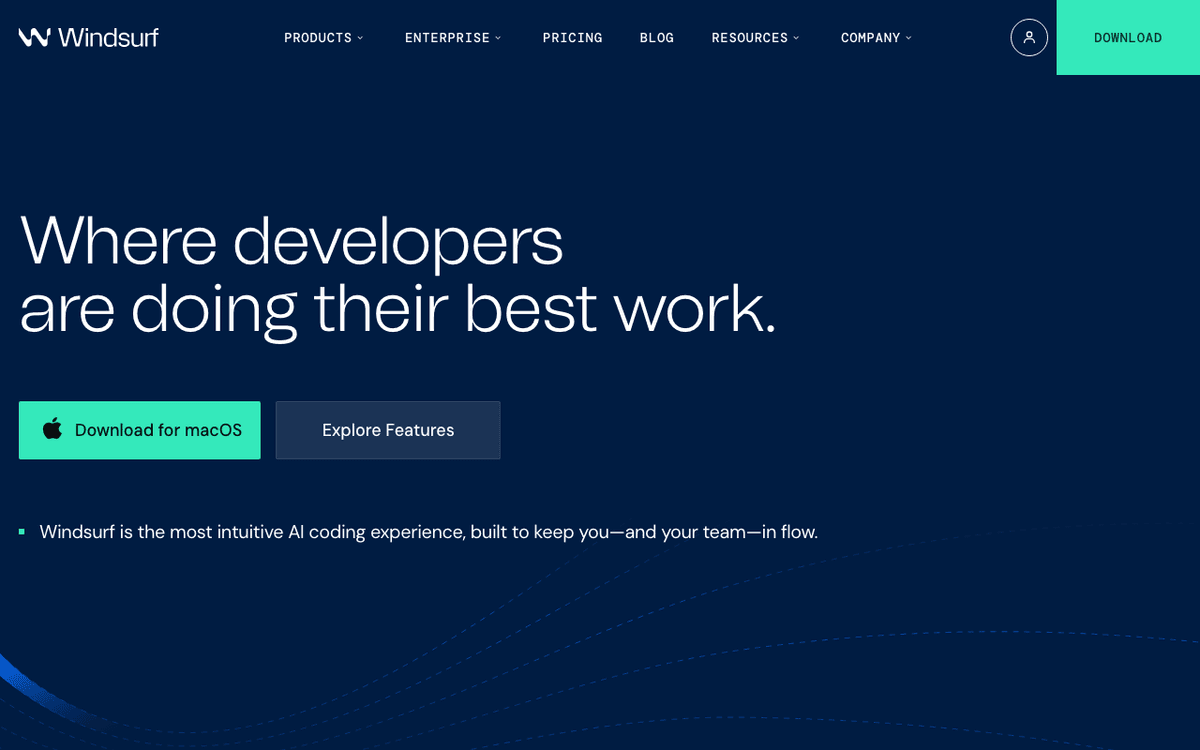
Windsurf — Official Website
Cursor
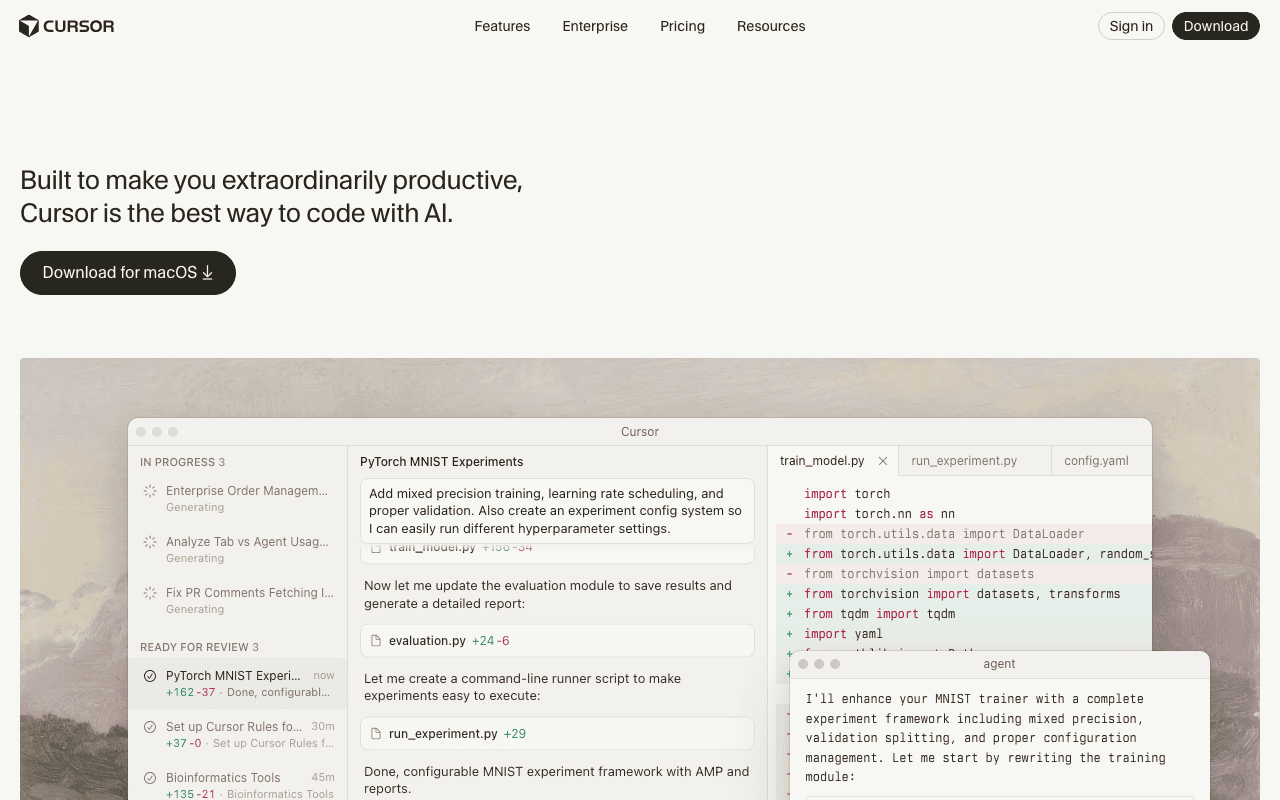
Cursor — Official Website
Our Verdict
Both Windsurf and Cursor are excellent code editors. Windsurf is better for users who prefer polished experiences, while Cursor excels for those who value established ecosystems.
Feature Comparison
| Feature | Windsurf | Cursor |
|---|---|---|
| Price | Free | Free |
| Open Source | No | No |
| Monthly Installs | N/A | N/A |
| GitHub Stars | N/A | N/A |
| Category | Developer Tools | Developer Tools |
Quick Install
brew install --cask windsurfbrew install --cask cursorLearn More
In-Depth Overview
Windsurf Overview
Windsurf, formerly known as Codeium, is an innovative AI-powered coding assistant and integrated development environment (IDE) that redefines programming efficiency. Launched with a vision for 'agentic development,' Windsurf enables AI to collaborate with developers through natural language, assisting in planning, writing, editing, and debugging code. Its core strength lies in automating routine development tasks and possessing a profound understanding of entire codebases, which significantly accelerates application delivery. This makes it an ideal solution for large-scale projects and enterprise teams operating in regulated industries that demand advanced security and flexible deployment options. As of May 2026, Windsurf continues to evolve with regular updates through its Stable and Next release channels, continuously evolving its capabilities to offer a seamless and intelligent coding experience. Its focus on deep contextual awareness and agent-based workflows positions it as a leader in intelligent code generation and multi-file editing, integrating natively with popular IDEs like VS Code.
Cursor Overview
Cursor is a modern AI-assisted code editor, available across Mac, Windows, and Linux, built as a powerful fork of the popular Visual Studio Code (VS Code). Developed by Anysphere, a San Francisco-based startup founded in 2022, Cursor's primary mission is to enhance software development speed and efficiency by smoothly integrating advanced AI features directly into the coding workflow. It provides developers with capabilities such as intelligent code completion, solid code generation, efficient refactoring, and streamlined debugging. Users benefit from a familiar VS Code-like interface, allowing for a smooth transition while gaining access to 'supercharged' AI functionalities. Cursor is designed for developers who aim to boost their productivity and automate repetitive coding tasks, offering a blend of familiarity and next-generation AI assistance. It supports importing existing VS Code settings and extensions, making it a natural upgrade for many developers.
Detailed Feature Comparison
AI Agent Capabilities
CriticalWindsurf's 'Cascade' is a highly advanced AI agent that goes beyond suggestions. It combines deep codebase understanding with a broad suite of tools and real-time awareness to actively code, fix, and plan ahead. Cascade can make autonomous decisions, such as creating new files or modifying existing ones, and supports complex AI Flows. It even boasts the ability to generate HTML, CSS, and JavaScript directly from image uploads, showcasing its comprehensive agentic capabilities for end-to-end development tasks.
Cursor features an 'Agent Mode' and offers solid chat-based coding assistance, allowing users to interact with the AI to explain, rewrite, or optimize code. While it provides agent-like features, it generally requires more explicit user direction and manual context addition. The AI tends to offer suggestions primarily in a chat sidebar, requiring user verification and manual application, indicating a more assistive rather than fully autonomous agent approach compared to Windsurf's Cascade.
Verdict: Windsurf takes a significant lead here with its 'Cascade' agent, offering more autonomous, decision-making capabilities that actively contribute to the development process, whereas Cursor's agent is more suggestion-based.
Context Understanding
CriticalWindsurf excels in context understanding, automatically analyzing and indexing the entire codebase. This allows it to retrieve relevant context from all project files, not just recently opened or interacted ones, which drastically improves the quality and accuracy of its suggestions and chat responses. Its proprietary 'Fast Context' technology further enhances this, providing 10x faster context retrieval, ensuring the AI always has a comprehensive and up-to-date understanding of the project's intricacies.
Cursor provides good context understanding but often requires more manual intervention from the user. Developers typically need to explicitly add context or tag specific parts of the codebase using commands like `@codebase` and `@files` to ensure the AI has precise information. While this offers granular control, it places a higher burden on the user to manage context, potentially slowing down workflows where automatic, broad context retrieval is beneficial for complex tasks.
Verdict: Windsurf's automatic, deep, and fast codebase-wide context understanding gives it a decisive advantage, making its AI responses more accurate and requiring less user effort compared to Cursor's more manual approach.
Code Generation & Autocompletion
HighWindsurf offers 'Supercomplete,' an advanced autocompletion feature that extends far beyond typical suggestions, capable of generating substantial code blocks. Its prowess extends to generating full-stack web applications from simple natural language prompts, showcasing its ability to handle complex, multi-component generation. Also, its 'Vibe and Replace' feature is designed for large-scale, multi-file refactoring operations, efficiently applying changes across hundreds of files with intelligent understanding.
Cursor provides solid AI autocomplete and inline suggestions, significantly boosting developer productivity by predicting and generating code as you type. It also allows users to generate or update specific parts of code through clear prompts. Its 'smart rewrite' capabilities are effective for changing multiple lines of code simultaneously, offering a powerful tool for refactoring and code modification within a single file or a defined scope, though less emphasis is placed on full-stack application generation from scratch.
Verdict: Both offer strong generation, but Windsurf's 'Supercomplete' and ability to generate full-stack applications from prompts, combined with its multi-file refactoring, gives it an edge in comprehensive code generation.
VS Code Compatibility & Integration
HighWindsurf integrates natively with VS Code, ensuring a consistent experience for developers across various IDEs, supporting over 40 different environments. It also provides an 'Import from VSCode' migration tool, facilitating a smooth transition for users looking to adopt Windsurf while retaining their familiar VS Code settings and extensions. This native integration ensures that Windsurf's powerful AI capabilities can be smoothly used within an existing VS Code workflow without disruption, enhancing productivity.
Cursor is fundamentally built as a fork of Visual Studio Code, meaning it inherently shares the same look, feel, and underlying architecture as VS Code. This deep integration allows users to import all their existing settings, extensions, and profile preferences directly from an existing VS Code installation with minimal effort. This makes the transition to Cursor exceptionally seamless for VS Code users, providing an immediately familiar and highly customizable development environment with added AI power.
Verdict: Cursor wins here, as its foundation as a VS Code fork means it offers unparalleled familiarity and direct migration for existing VS Code users, while Windsurf provides excellent native integration.
Debugging & Error Handling
HighWindsurf's Cascade agent demonstrates advanced debugging capabilities, able to not only identify errors but also run and iterate on code, making necessary changes until a request is successfully fulfilled. This proactive approach to debugging significantly reduces manual effort. Additionally, Windsurf includes a dedicated 'Problems' tab, which provides a centralized view of project issues, further streamlining the error identification and resolution process for developers.
Cursor offers rapid debugging capabilities, leveraging its integrated AI assistance to help developers identify and understand errors quickly. The AI can provide explanations for error messages and suggest potential fixes, accelerating the debugging cycle. While effective in assisting with error identification and resolution, Cursor's approach is more about providing intelligent guidance rather than the autonomous iteration and fixing seen in Windsurf's Cascade agent, requiring more user input.
Verdict: Windsurf's Cascade agent, with its ability to autonomously run and iterate on code until successful, provides a more comprehensive and automated debugging solution than Cursor's AI assistance.
Multi-file Editing & Refactoring
HighWindsurf truly excels in multi-file editing and large-scale refactoring. Its AI's deep understanding of entire multi-file codebases enables natural language-driven edits and code generation across an entire project, not just isolated files. The 'Vibe and Replace' feature is specifically highlighted for its ability to handle large-scale, multi-file refactoring operations, efficiently applying complex changes across hundreds of files, making it incredibly powerful for maintaining consistency and evolving large projects.
Cursor allows users to generate or update parts of their code through prompts, and its 'smart rewrite' capabilities are effective for changing multiple lines of code simultaneously. This is highly beneficial for refactoring within a single file or a limited set of files. While capable of handling multi-line changes, its focus tends to be more on isolated or user-directed multi-file operations rather than the deep, project-wide, agentic refactoring that Windsurf's 'Vibe and Replace' offers, which uses its full codebase understanding.
Verdict: Windsurf is superior for multi-file editing and refactoring, leveraging its deep codebase understanding and specialized features like 'Vibe and Replace' to handle project-wide changes more effectively.
Enterprise Features & Security
CriticalWindsurf is specifically designed to cater to enterprise teams and large codebases, offering a solid suite of advanced security features. It provides comprehensive enterprise deployment options, complete with stringent security controls tailored for regulated industries. Also, Windsurf is SOC 2 certified, ensuring high standards of data security and privacy. It also offers white-glove support, including dedicated account teams, live training, and 24/7 assistance, underscoring its commitment to enterprise clients.
Cursor also prioritizes security, being SOC 2 certified, which assures users of its commitment to data protection and compliance. It is trusted by developers at leading AI companies, indicating its reliability in sensitive environments. While it offers strong security, the provided facts do not detail the same level of advanced enterprise deployment options, granular security controls for highly regulated industries, or dedicated 'white-glove' support that Windsurf explicitly highlights for its enterprise offerings.
Verdict: Windsurf's explicit focus on enterprise-grade deployment, granular security controls for regulated industries, and dedicated support positions it as the stronger choice for large organizations.
Language Support
MediumWindsurf is highly versatile in its language support, accommodating a wide array of programming languages. It supports numerous popular languages critical for modern development, including Python, Java, JavaScript, TypeScript, and Go, among many others. This broad compatibility ensures that developers working across diverse technology stacks can use Windsurf's AI capabilities without limitations, making it a flexible tool for various project types and development environments.
Cursor offers solid support for multiple key programming languages, making it suitable for a broad range of development tasks. It explicitly supports widely used languages such as Python, JavaScript, and TypeScript, which are fundamental for web development, data science, and general programming. While comprehensive for these core languages, the provided information does not detail the extensive list of 40+ languages that Windsurf claims to support, suggesting Windsurf might have a broader overall reach.
Verdict: Windsurf appears to offer slightly broader language support, catering to a wider range of programming ecosystems, though Cursor covers the most common and critical languages effectively.
Windsurf vs Cursor Feature Matrix
| Feature | Windsurf | Cursor | Winner |
|---|---|---|---|
| AI Agent Capabilities | Excellent | Good | Tie |
| Context Understanding | Excellent | Good | Tie |
| Code Generation & Autocompletion | Excellent | Good | Tie |
| VS Code Compatibility & Integration | Good | Excellent | Tie |
| Debugging & Error Handling | Excellent | Good | Tie |
| Multi-file Editing & Refactoring | Excellent | Good | Tie |
| Enterprise Features & Security | Excellent | Good | Tie |
| Language Support | Excellent | Good | Tie |
Who Should Choose Which?
1The Enterprise Team Lead
For a team lead managing a large codebase in a regulated industry, Windsurf is the clear choice. Its advanced security, enterprise deployment options, deep codebase understanding, and agentic capabilities (Cascade) are invaluable for accelerating application delivery and ensuring compliance. The white-glove support and multi-file refactoring features make it ideal for coordinating complex projects and maintaining code quality across a large team, providing a solid, scalable AI solution.
2The Solo Full-Stack Developer
A solo full-stack developer benefits immensely from Windsurf's ability to generate full-stack web applications from natural language prompts and its multi-file editing prowess. The automatic context understanding and 'Supercomplete' feature reduce boilerplate and accelerate development across different parts of an application. While Cursor is good, Windsurf's more autonomous agent and integrated dev environment streamline the entire development lifecycle for a single developer juggling multiple responsibilities, making it highly efficient.
3The VS Code Loyalist
For a developer deeply entrenched in the VS Code ecosystem, Cursor is the natural progression. Being a fork of VS Code, it offers immediate familiarity, allowing seamless import of all settings, extensions, and preferences. This minimizes the learning curve and maximizes productivity from day one, integrating powerful AI features directly into a beloved environment. While Windsurf integrates with VS Code, Cursor's native foundation provides an unmatched comfort level for loyal VS Code users.
4The AI Novice / Beginner Developer
Beginners or those new to AI coding assistants will find Windsurf more approachable. Its clean UI, intuitive step-by-step workflow, and automatic context handling simplify complex tasks and reduce the initial learning curve. The AI guides users effectively, offering high-level interactions that make it easier to grasp AI's potential without needing to manually manage context or master extensive features, fostering a smoother entry into AI-assisted development.
5The Budget-Conscious Professional
For a professional developer mindful of costs, Windsurf offers a more attractive pricing structure. Its Pro plan is $15/month for 500 fast premium requests, compared to Cursor's $20/month for the same. This makes Windsurf a more cost-effective choice for individuals seeking advanced AI capabilities without compromising on performance or features. The free plan also provides a good starting point to evaluate its potential before committing financially.
Migration Guide
Windsurf → Cursor
Migrating from Windsurf to Cursor involves a few key steps, though a direct 'Import from Windsurf' tool for Cursor is not specified. First, ensure you export any custom settings, keybindings, or theme configurations from your Windsurf environment. Next, install Cursor, which is a fork of VS Code. You can then import your VS Code settings and extensions into Cursor, as it's designed for this compatibility. Any project-specific configurations or custom scripts from Windsurf would need to be manually transferred and reconfigured within Cursor's environment. Be prepared to re-establish your AI context settings, as Cursor often requires more explicit tagging, and familiarize yourself with its chat-based AI interaction model.
Cursor → Windsurf
Migrating from Cursor to Windsurf is made relatively seamless by Windsurf's dedicated 'Import from Cursor' migration tool. This tool simplifies the process of transferring your existing settings, extensions, and profile preferences, ensuring a smooth transition. After installing Windsurf, use this tool to bring over your personalized environment. You'll then benefit from Windsurf's automatic codebase indexing and deep context understanding, which will quickly adapt to your projects. Familiarize yourself with Windsurf's agentic workflows and the Cascade AI, which offers a more autonomous approach compared to Cursor's chat-based assistance. This transition is designed to minimize disruption and maximize productivity.
Pro Tips
When switching between these powerful AI coding assistants, always back up your current settings and projects. Take advantage of any migration tools offered by the destination IDE. Be prepared for a slight adjustment period to new AI interaction approachs—Windsurf emphasizes agentic autonomy, while Cursor focuses on chat-based assistance. Explore documentation and tutorials to quickly use the new platform's unique strengths.
Final Verdict
Windsurf
Winner
Runner-up
Windsurf stands out as the superior AI coding assistant, particularly for enterprise environments and complex projects, due to its advanced agentic capabilities, deep codebase understanding, and superior multi-file refactoring. Its proprietary speed optimizations and commitment to enterprise security solidify its position. While Cursor offers a highly familiar experience for VS Code users and strong AI assistance for individual tasks, Windsurf's comprehensive, autonomous approach to development, coupled with its better pricing for Pro users, makes it the more impactful tool for accelerating the entire software development lifecycle. For those seeking a truly intelligent and collaborative AI partner, Windsurf leads the pack.
Bottom Line: Choose Windsurf for unparalleled AI autonomy and enterprise-grade efficiency; opt for Cursor if deep VS Code familiarity and solid individual AI assistance are your top priorities.
Video Tutorials
Windsurf Tutorial for Beginners (AI Code Editor) - Better than Cursor??
Tech With Tim • 210.2K views
Windsurf AI Tutorial for Beginners
Volo Builds • 82.8K views
How To Use Windsurf Editor For Beginners
corbin • 76.0K views
Is Windsurf a better AI IDE than Cursor?
Steve (Builder.io) • 164.0K views
Frequently Asked Questions
About the Author

Explore More on Bundl
Browse code editors apps, read our complete guide, or discover curated bundles.
Related Technologies & Concepts
Related Topics
AI-Powered Development Tools
Explores the world of integrated development environments and coding assistants augmented with artificial intelligence for enhanced productivity and automation.
Enterprise Software Solutions
Focuses on software designed for large organizations, emphasizing security, scalability, deployment options, and dedicated support for complex business environments.
Code Editor & IDE Comparisons
Detailed analysis of different code editors and integrated development environments, highlighting features, performance, user experience, and target audiences.
Sources & References
Fact-CheckedLast verified: May 6, 2026
Key Verified Facts
- Windsurf is AI-powered and focuses on 'agentic development,' where AI works collaboratively with developers to plan, write, edit, and debug code through natural language conversations.[fact1]
- Windsurf's Pro Plan costs $15 per month with unlimited completions under its quota-based system, while Cursor's Pro Plan costs $20 per month with included usage pools.[fact2]
- Windsurf often feels faster in generating responses and completing tasks, leveraging proprietary SWE-1.5 and newer models with optimized inference and 'Fast Context' technology for rapid context retrieval.[fact3]
- Cursor is built as a fork of Visual Studio Code (VS Code) and allows users to import settings, extensions, and other profile preferences from an existing VS Code installation.[fact4]
- 1Windsurf Official Product Page
Accessed Feb 15, 2026
- 2Windsurf Pricing Plans - Official
Accessed May 6, 2026
- 3Windsurf Editor Releases
Accessed May 6, 2026
- 4Cursor - The AI-powered Code Editor for VS Code Users
Accessed May 6, 2026
Research queries: Windsurf vs Cursor 2026 comparison; Windsurf AI features; Cursor pricing and performance; Windsurf enterprise capabilities; Cursor VS Code compatibility