TL;DR
Fantastical vs Google Calendar: For most Mac users in 2026, Google Calendar is the better choice for calendar because it is free while Fantastical charges for full use. Both install with a single Homebrew command, so the switching cost is low. Choose Fantastical instead if you want calendar.
Which is better: Fantastical or Google Calendar?
Google Calendar is the top pick for most Mac users looking at calendar. It is free and installs in one Homebrew command. Fantastical is the stronger choice if you want calendar. As of September 2026, both install with brew install --cask fantastical and brew install --cask google-calendar.
Fantastical vs Google Calendar
Which is the better calendar for Mac in 2026?
We compared Fantastical and Google Calendar across 6 key factors including price, open-source status, and community adoption. Read our full breakdown below.
Fantastical
Calendar software
Google Calendar
Google's free calendar for personal accounts and Google Workspace, used on Mac via the web app at calendar.google.com.
Visual Comparison
Fantastical

Credit: Flexibits
Google Calendar
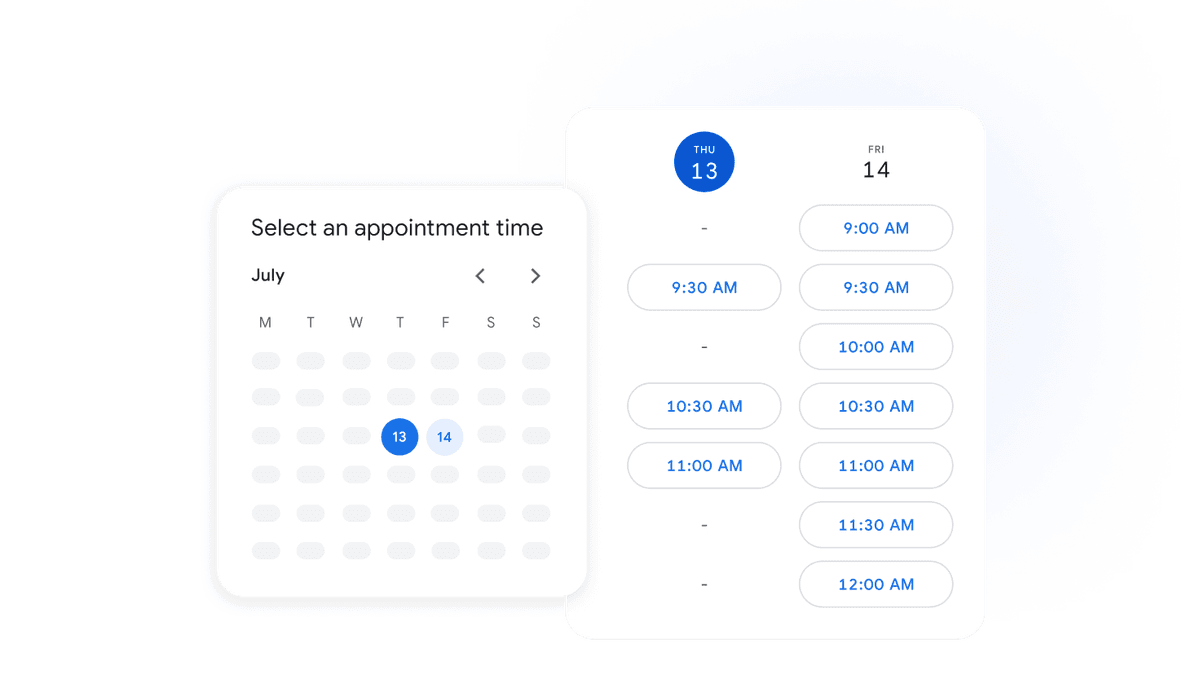
Credit: Google
Our Verdict
For most Mac users in 2026, Google Calendar is the better choice for calendar because it is free while Fantastical charges for full use. Both install with a single Homebrew command, so the switching cost is low. Choose Fantastical instead if you want calendar.
Feature Comparison
| Feature | Fantastical | Google Calendar |
|---|---|---|
| Price | Paid | Free |
| Open Source | No | No |
| Replaces | — | Fantastical |
| Best for | calendar, scheduling, tasks | calendar, scheduling, google |
| Install | brew install --cask fantastical | Open https://calendar.google.com |
| Category | Productivity | Productivity |
Quick Install
brew install --cask fantasticalOpen https://calendar.google.comLearn More
In-Depth Overview
What is Fantastical?
Fantastical is Flexibits' calendar app built around natural language event creation, rich day/week/month/quarter/year views, tasks, and scheduling tools. Type a sentence like a lunch invite and Fantastical parses people, time, and place into an event with live preview. Premium unlocks Calendar Sets, deeper weather, conference Join buttons, templates, and Fantastical Scheduling (Openings booking links, Proposals polls, RSVP). Tasks integrate with Apple Reminders, Todoist, and Google Tasks. A Flexibits Premium subscription also covers Cardhop and Fantastical for Windows. As of September 2026, the Mac line is Fantastical 4.2.x. Homebrew ships 4.2.1 (release notes dated September 22, 2026), following 4.2 on September 14, 2026. US Flexibits Premium prices from Flexibits' live Stripe price catalog behind flexibits.com/pricing on 2026-09-29: Individual $6.99/month or $56.99/year; Family $10.49/month or $89.99/year; Team seating mirrors Individual per-seat amounts.
What is Google Calendar?
Google Calendar is Google's shared calendar product for consumers and Workspace organizations. Personal Google accounts get Calendar at no extra charge. Workspace customers get Calendar as part of the suite (Gmail, Drive, Meet, Chat, and more). On Mac there is typically no native Google Calendar.app via Homebrew; people use the web app at calendar.google.com, mobile apps on other devices, or a third-party Mac client such as Fantastical that syncs Google accounts. Workspace list pricing read from workspace.google.com/pricing on 2026-09-29 shows Business Starter at $7 per user per month, Business Standard at $14, and Business Plus at $22 (prices per user/month before tax; the page may also show time-limited discounts).
Detailed Feature Comparison
Natural language input
CriticalThe parser remains the product's core edge. Complex recurrence, alerts, invitees, and mixed event/task phrasing land with live preview. Free tier covers basics; Premium unlocks the full power-user surface.
Quick create and smart suggestions help with simple titles and times. It does not match Fantastical's sentence-to-event craft or live grid preview on Mac.
Verdict: Fantastical for keyboard-first event creation; Google Calendar for form-style quick add that is good enough.
Scheduling and booking links
HighOpenings booking links, Proposals polls, and RSVP sit inside Flexibits Premium and respect Calendar Sets so work and personal availability stay separated.
Appointment schedules and booking pages exist for eligible accounts, and Workspace teams lean on shared calendars plus Meet. Routing depth varies by account type; many teams still add a dedicated scheduler.
Verdict: Fantastical replaces a standalone scheduler for many individuals on Premium. Google Calendar wins when the org already standardizes on Workspace booking and Meet.
Multi-account and Calendar Sets
HighCalendar Sets show or hide groups of calendars (and lists) instantly, with Premium automation by time or location. Ideal when work Google, personal iCloud, and family calendars compete for attention.
Multiple calendars and accounts are first-class in the web UI, with color coding and overlay. There is no Fantastical-style Set preset that rewrites the whole view in one keystroke on Mac.
Verdict: Fantastical for context switching across many calendars; Google Calendar for straightforward multi-calendar overlay in the browser.
Menu bar and Mac-native workflow
HighThe mini window in the menu bar is a near-full client: browse, create with natural language, join calls, and glance tasks without opening the main window.
The browser tab (or a web-app window) is the Mac surface. There is no Fantastical-class menu bar calendar from Google.
Verdict: Fantastical owns Mac menu bar scheduling. Google Calendar assumes you live in a browser tab.
Video meetings (Meet, Zoom, Teams)
HighDetects Meet, Zoom, Teams, Webex, and more, with Join affordances in the event list and menu bar.
Creating and joining Google Meet from an event is native. Third-party conference URLs work via links but are less polished than Fantastical's universal Join layer.
Verdict: Google Calendar for Meet-centric Workspace teams; Fantastical for mixed Zoom/Teams/Meet days on a Mac.
Platforms and collaboration
CriticalStrong on Apple plus Windows: Mac/iOS/iPadOS/visionOS plus a native Windows app under the same Premium subscription. No native Android Fantastical app.
Web, Android, iOS, and Workspace admin controls. Shared calendars, delegation, and resource booking fit org-wide collaboration.
Verdict: Google Calendar for Android-heavy or Workspace-wide collaboration; Fantastical for Apple-first (and Windows) craft with Google as a sync backend.
Price and switching cost
CriticalPaid Premium for the features that justify switching; free tier is limited. Install cost is one Homebrew command: brew install --cask fantastical (cask 4.2.1 this run).
Free for personal use; Workspace pricing bundles Calendar with the suite. Switching cost on Mac is opening calendar.google.com—no Homebrew cask this run.
Verdict: Google Calendar wins on price. Fantastical wins if Premium features save more time than the subscription costs.
Who Should Choose Which?
1Mac power scheduler who will pay
Natural language, Sets, menu bar, and Openings pay rent every week. Keep Google accounts connected so mobile Google Calendar or Workspace web still works.
2Free personal sync and Meet
$0 for a personal Google account, Meet built in, and no Mac package to maintain. Use the browser or a web-app shortcut.
3Workspace / Android-heavy team
Admin policies, shared resources, and Android clients align with Google. Individuals who hate the web UI on Mac can still layer Fantastical on the same calendars.
4Hybrid Mac + Windows, Google backend
One Flexibits client on Mac and Windows while events stay in Google or Microsoft accounts. Use Google Calendar web on locked-down machines without install rights.
5Budget student or light checker
If you only glance at the week a few times a day, Premium Fantastical is optional. Apple Calendar is another free path if you are iCloud-first.
Migration Guide
Google Calendar → Fantastical
1. Install with brew install --cask fantastical. 2. Grant calendar access; add your Google account in Fantastical Settings (or use accounts already configured in macOS). 3. Confirm events appear; create Calendar Sets for Work / Personal / Family. 4. Optionally configure Openings availability and conference preferences. 5. Keep calendar.google.com bookmarked for Android, Meet-heavy days, or machines without Fantastical. You are changing the Mac lens, not exporting ICS files, when both apps talk to the same Google calendars.
Fantastical → Google Calendar
1. Confirm every calendar syncs to Google (or another cloud account), not only a local On My Mac calendar. 2. Open calendar.google.com and verify events. 3. Recreate any Openings/Proposals workflows with Google appointment schedules or a separate scheduler if needed. 4. Cancel Flexibits Premium if you no longer need it. 5. Remove or hide Fantastical when you are satisfied with the browser workflow.
Pro Tips
Run both during a Fantastical trial: Google remains the sync source of truth. Fantastical Join buttons help even when Meet links are created in Google Calendar. Google Calendar has no Homebrew cask this run—use the web app. Family Flexibits seats are cheaper per person than five Individual plans when several household members want Premium.
Final Verdict
Split by job
Winner
Runner-up
Scores are Bundl.run editorial ratings out of 10 across 7 criteria (the feature comparison above), last reviewed August 2026.
Fantastical for paid Mac power scheduling (natural language, Sets, menu bar, Openings) on Homebrew-installed 4.2.1. Google Calendar for free personal sync, Meet, Android/web, and Workspace collaboration with no Mac install. Scores reflect different jobs, not a single winner.
Bottom Line: Pay Flexibits if your calendar is a craft tool on the Mac. Stay on Google Calendar (and optionally point Fantastical at it) if free sync and collaboration matter more than menu bar polish.
Frequently Asked Questions
Fantastical or Google Calendar for Mac in 2026?
Fantastical vs Google Calendar vs Apple Calendar?
Is Fantastical free in 2026?
How much is Flexibits Premium (US)?
Does Fantastical sync Google Calendar?
Can I brew install Google Calendar on Mac?
Does Google Calendar have a Mac menu bar app?
Fantastical vs BusyCal for Google accounts?
Is Google Calendar included in Google Workspace?
What Fantastical version should I compare in September 2026?
About the Author

Explore More on Bundl
Browse calendar apps, read our complete guide, or discover curated bundles.
Expert Insights
When calendars already live in Google, installing Fantastical changes the Mac lens rather than requiring an ICS export—both apps write to the same Google calendars.
Google Calendar has no Homebrew cask this run; citing brew install for Google Calendar would be incorrect. Point Mac users at calendar.google.com or Fantastical with Google sync.
Sources & References
Fact-CheckedLast verified: Sep 29, 2026
Key Verified Facts
- Flexibits Premium Individual is $6.99/month or $56.99/year ($4.75/month billed annually); Family is $10.49/month or $89.99/year ($7.50/month billed annually, up to 5 people).[cite-flexibits-pricing]
- Homebrew cask fantastical ships version 4.2.1 this run (Flexibits release notes dated September 22, 2026).[cite-fantastical-brew, cite-fantastical-releasenotes]
- Google Workspace Business list prices this run: Starter $7, Standard $14, Plus $22 per user/month before tax; personal Google Calendar remains free.[cite-workspace-pricing, cite-google-calendar-product]
- There is no Homebrew cask for Google Calendar this run; Mac users open calendar.google.com or sync Google accounts in Fantastical.[cite-google-calendar-web, cite-fantastical-brew]
- 1Flexibits Premium pricing
Accessed Sep 29, 2026
"US Individual, Family, Team Premium plans powered by Flexibits Stripe prices."
- 2Fantastical by Flexibits
Accessed Sep 29, 2026
"Fantastical product overview for Mac, iOS, and Windows."
- 3Fantastical Mac release notes
Accessed Sep 29, 2026
"4.2.1 dated September 22, 2026; 4.2 dated September 14, 2026."
- 4
- 5Google Workspace Calendar product
Accessed Sep 29, 2026
"Official Google Workspace Calendar product page."
- 6Google Workspace pricing
Accessed Sep 29, 2026
"Business Starter $7, Standard $14, Plus $22 per user/month list."
- 7
- 8
Research queries: fantastical vs google calendar 2026; flexibits premium pricing; google workspace calendar pricing
Related Technologies & Concepts
Related Topics
Mac calendar apps
Native and web calendars Mac users choose for scheduling.
Mac productivity scheduling
Tools for booking links, menu bar workflow, and multi-account calendars on macOS.
Google Workspace on Mac
Using Google Calendar, Meet, and Workspace collaboration from a Mac.