TL;DR
Inkscape vs Adobe Illustrator: For most Mac users in 2026, Inkscape is the better choice for design because it is free and open source, so you can inspect, self-host, and trust the code. Both install with a single Homebrew command, so the switching cost is low. Choose Adobe Illustrator instead if you want vector.
Which is better: Inkscape or Adobe Illustrator?
Inkscape is the top pick for most Mac users looking at design. It is free and open-source and installs in one Homebrew command. Adobe Illustrator is the stronger choice if you want vector. As of September 2026, both install with brew install --cask inkscape and brew install --cask adobe-illustrator.
Inkscape vs Adobe Illustrator
Which is the better design for Mac in 2026?
We compared Inkscape and Adobe Illustrator across 6 key factors including price, open-source status, and community adoption. Read our full breakdown below.
Inkscape
Professional vector graphics editor
Adobe Illustrator
Industry-standard vector graphics editor for creating illustrations, logos, and artwork.
Visual Comparison
Inkscape
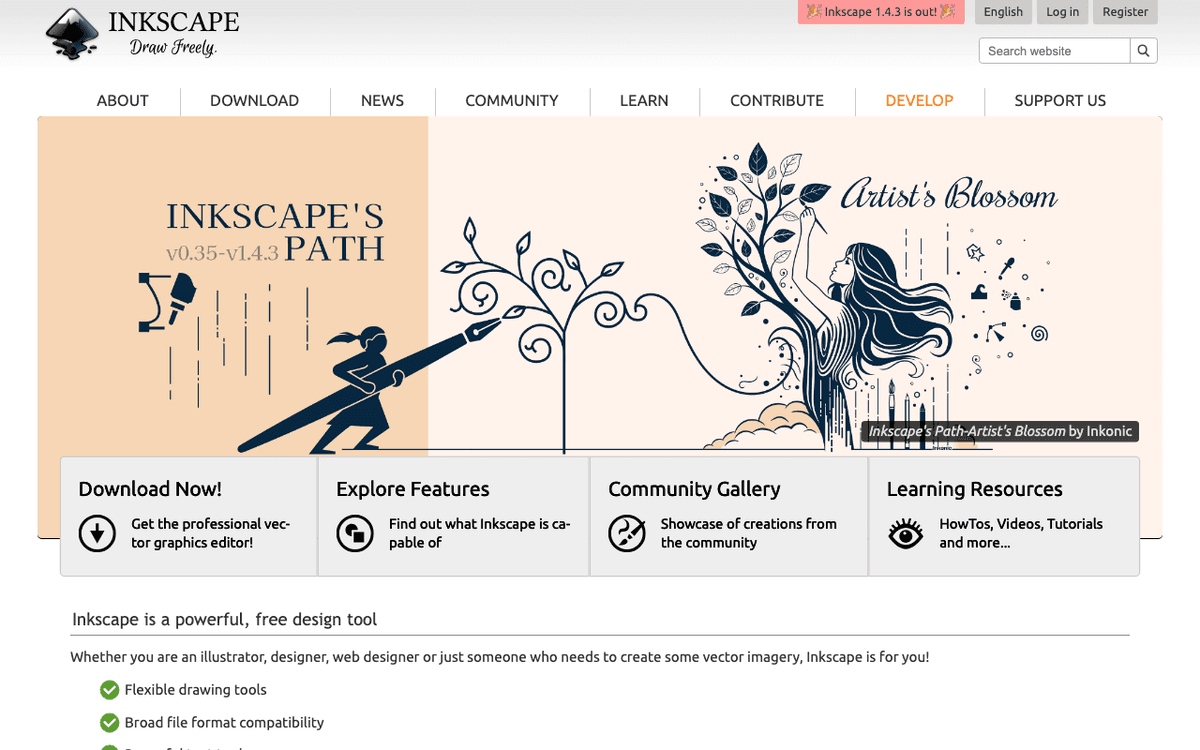
Inkscape — Official Website
Our Verdict
For most Mac users in 2026, Inkscape is the better choice for design because it is free and open source, so you can inspect, self-host, and trust the code. Both install with a single Homebrew command, so the switching cost is low. Choose Adobe Illustrator instead if you want vector.
Feature Comparison
| Feature | Inkscape | Adobe Illustrator |
|---|---|---|
| Price | Free | Paid |
| Open Source | Yes | No |
| Replaces | Adobe Illustrator ($23/mo); Adobe XD ($9.99/month) | — |
| Best for | vector, svg, illustration | vector, design, illustration |
| Install | brew install --cask inkscape | brew install --cask adobe-illustrator |
| Category | Design & Creative | Design & Creative |
Quick Install
brew install --cask inkscapebrew install --cask adobe-illustratorLearn More
In-Depth Overview
What is Inkscape?
Inkscape is a free, open-source vector graphics editor licensed under the GPL and developed by a global volunteer community. It uses SVG as its native format and runs on macOS, Windows, and Linux. The stable 1.4.x line, including 1.4.4 released 6 May 2026, focuses on performance, crash resilience, palette work, and incremental tool improvements while the project advances toward 1.5. Inkscape offers bezier drawing, boolean operations (including Shape Builder work from 1.4), text tools, path effects, extensions, and import/export practical for logos, icons, diagrams, poster layouts, and web SVG. It does not match Illustrator's commercial type engine, proprietary collaboration stack, or generative AI cloud services. On Mac, users install community builds and should expect a capable interface that feels less macOS-native than Adobe's. For educators and budget-constrained designers, Inkscape remains the default answer when the brief is 'Illustrator without the subscription.' Download from inkscape.org for macOS; prefer the current stable 1.4.4 build rather than random mirrors. Learning path that works: master the pen/node tools, booleans and path effects before you chase filter galleries. When a client demands editable .ai, budget either a short Illustrator trial seat or a PDF/SVG export workflow they already accept.
What is Adobe Illustrator?
Adobe Illustrator is the long-standing professional vector graphics standard inside Adobe Creative Cloud. It excels at logo systems, typography-heavy layouts, packaging dielines, brand libraries, and handoff into Photoshop, InDesign, After Effects, and Adobe cloud documents. The 2026 application generations continue Adobe's generative vector and workflow features for Creative Cloud subscribers, with continuous updates via the Creative Cloud desktop app. On macOS Tahoe, Illustrator is actively supported though users periodically report performance bugs on new OS point releases, as with most pro creative suites. Pricing is subscription-only for new customers: single-app plans often about $22.99/month annual billed monthly, higher on flexible monthly, or bundled into Creative Cloud Standard/Pro all-apps plans at higher monthly rates. There is no permanent inexpensive one-time licence. Illustrator is the safe choice when clients, contractors, or print vendors assume Adobe files. Confirm live single-app and Creative Cloud Standard/Pro prices on adobe.com for your country; US figures around $22.99, $54.99 and $69.99 monthly on annual terms were widely reported through mid-2026 and still match common plan cards. Generative features and credit pools change with plan tier, so check your plan's Firefly/credit terms before promising AI-assisted delivery to clients.
Detailed Feature Comparison
Drawing Tools
CriticalInkscape 1.4 introduced a new Shape Builder tool for interactive boolean operations, joining its full set of pencils, pens, calligraphy tools, and shapes. Node editing remains a standout for precise path control. The 2026 stable release (1.4.4) continues improving tool reliability and performance. It still lacks some AI-assisted drawing features found in commercial alternatives.
Adobe Illustrator ships a mature drawing toolkit with high precision path control. Creative Cloud generations include generative expansion and related Firefly-linked tools for subscribers, refined shape builder workflows, and dynamic symbols. AI assists can help with path smoothing, live shape manipulation, and content extension when your plan includes those credits.
Verdict: Illustrator's refined tools and 2026 features like Generative Expand and Turntable keep it ahead for drawing depth.
Typography
HighInkscape 1.4 improved font management with better selection and filtering, though text tools stay mostly basic: font choice, alignment, and kerning. The 2026 line improved variable font support. It still lacks the optical alignment tools and deep third-party font browser workflows common in commercial suites.
Adobe Illustrator 2026 offers deep typographic control: an enhanced Font Browser, variable fonts, touch type tools, and optical font alignment. Integration with Adobe Fonts provides access to over 25,000 typefaces. The 2026 update improves font discovery and management for type-heavy brand work.
Verdict: Illustrator's Font Browser and type controls win for text-heavy designs.
Effects and Filters
MediumInkscape 1.4 introduced a customizable Filter Gallery for managing filters, alongside blurs, distortions, and color adjustments. These help enhance artwork but can be resource-heavy on complex projects. Third-party extensions expand the set, with uneven compatibility. The 2026 stable releases focus on filter rendering performance.
Adobe Illustrator 2026 has a large library of non-destructive live effects. The 2026 update adds smarter gradient controls and AI-powered enhancements via Adobe Firefly integration. Generative Expand can extend content, and effects stay editable without permanently baking into artwork.
Verdict: Illustrator's AI-linked effects library, including Generative Expand and Firefly integration, is ahead here.
Color Management
HighInkscape provides basic color management, including color profiles and gradients. The UI is less guided than Illustrator's for print workflows. In 2026, professionals who need Pantone-heavy brand control may still hit limits.
Adobe Illustrator includes Pantone colors, color harmonies, and live color adjustments. Adobe Color integration helps build and manage palettes for branding and print projects.
Verdict: Illustrator's color tools matter more once print vendors and brand libraries enter the job.
File Format Support
CriticalInkscape's native format is SVG, the widely supported web standard. Version 1.4 added Affinity Designer file import, expanding interoperability. It imports and exports PDF, EPS, PNG, and related formats. Adobe Illustrator AI compatibility can vary when files use complex proprietary features. SVG-first workflows remain a strength for web graphics and open standards.
Adobe Illustrator supports AI, PDF, EPS, SVG, and related production formats. Creative Cloud handoff works with Photoshop, InDesign, and other Adobe apps without intermediate conversion for most studio pipelines. The 2026 release keeps export presets for web, print, and mobile targets.
Verdict: Both cover common formats well. Illustrator has broader Creative Cloud handoff; Inkscape's SVG focus and Affinity Designer import help open-tool chains.
Collaboration
MediumInkscape lacks built-in multi-user collaboration. Teams rely on version control or file sharing. In 2026 some community extensions offer basic shared workflows, but they do not match Illustrator's cloud documents and libraries.
Adobe Illustrator includes cloud document sharing, co-editing paths, and version history. Creative Cloud Libraries make it easier to share assets and styles across a team so brand pieces stay consistent.
Verdict: Illustrator is the better default for multi-person brand teams that already live in Creative Cloud.
Performance
HighInkscape can slow down on projects with many objects and paths. It is less optimised than Illustrator for huge files. In 2026 the 1.4.4 line improved performance and crash resilience, but large dense illustrations can still tax older Macs.
Adobe Illustrator is tuned for large professional files, with a mature rendering path and memory management. In 2026 it continues to use modern hardware acceleration for heavy operations.
Verdict: Illustrator holds up better on large, dense production files.
Dealbreakers on Mac
CriticalDealbreakers: you must edit complex native .ai with full fidelity, you need Adobe Fonts + Libraries in a team, or you require vendor-supported print colour workflows. Otherwise Inkscape is viable.
Dealbreakers: you refuse any subscription, you only edit SVG icons a few times a year, or procurement will not approve Creative Cloud. Then Illustrator's polish does not matter.
Verdict: Pick based on pipeline constraints, not brand loyalty. Each tool has hard no-go scenarios.
Who Should Choose Which?
1Hobbyist Designer
Hobbyists who need logos, icons, and posters without a subscription get a full vector editor in Inkscape at $0, with enough tools for personal and small community projects.
2Student
Students can learn vector fundamentals in Inkscape without paying Adobe. The active community and free license make it practical for coursework until a program requires Illustrator files.
3Small Business Owner
Small businesses that need logos, simple marketing graphics, and web SVG can stay on Inkscape and avoid recurring Creative Cloud fees.
4Professional Designer
Professional designers who must exchange .ai files, use commercial font workflows, and hand off to print vendors still need Illustrator more often than not.
5Marketing Agency
Marketing agencies that produce brand systems and multi-channel collateral usually standardize on Illustrator for Creative Cloud Libraries and client expectations.
6Enterprise Design Team
Enterprise design teams that need cloud documents, version history, and IT-managed Creative Cloud seats pick Illustrator for support contracts and shared libraries.
7Developer maintaining product icons as SVG
SVG-native editing, free licensing, and clean path control beat paying Creative Cloud for icon pipelines that never touch print vendors.
8Freelancer deciding Adobe Illustrator or Inkscape this year
If more than half of inbound briefs mention .ai or Creative Cloud Libraries, Illustrator still saves rework. If briefs are SVG/web-only and clients accept PDF, Inkscape keeps more of each invoice.
9Someone asking Inkscape vs Illustrator vs Affinity Designer
If the question includes Affinity as a third option: pick Illustrator for Adobe interchange, Affinity Designer when you want paid-once commercial polish without GPL constraints, and Inkscape when $0 plus SVG-native open source is the priority. Affinity is not free; Inkscape is. This page still ranks for the two-way Adobe vs Inkscape query, so treat Affinity as a fork in the road rather than the main comparison.
10Mac user who only needs favicons and simple brand marks
Paying Creative Cloud for occasional SVG marks is poor value. Inkscape 1.4.x path tools and export presets cover favicons, app icons and simple lockups. Revisit Illustrator only when a client hands you an .ai system you must edit.
Migration Guide
Inkscape → Adobe Illustrator
Moving to Illustrator means learning Adobe's panels, pen tool habits, and cloud document flow. Start with core drawing and type, then add live effects and variable fonts. Adobe's tutorials cover most gaps; export SVG/PDF from Inkscape as interchange while you rebuild masters. Budget time for colour profiles and type if print is involved. Expect Illustrator's type engine and Symbols/Libraries to feel richer immediately; budget a day to rebuild styles rather than trusting a one-click import.
Adobe Illustrator → Inkscape
Moving to Inkscape means relearning node editing labels and SVG-first mental models. Focus on path operations and extensions that approximate effects you used in Illustrator. Community docs and forums fill the rest. Expect friction on complex .ai round-trips. Convert critical assets to PDF or SVG before you cancel Creative Cloud so you are not locked out mid-handoff. Complex appearance stacks and some live effects will flatten; rebuild critical logos as clean paths in Inkscape before you delete the Adobe archive.
Pro Tips
Export shared work as SVG or PDF when switching tools. Keep backup copies in both apps' native formats during transition. Use free tutorials for the tool you are adopting rather than forcing one-to-one menu maps. If clients still demand .ai, keep a single Illustrator seat even when day-to-day drafting moves to Inkscape. Before cancelling Creative Cloud, inventory fonts (Adobe Fonts licences go away), linked cloud documents, and Pantone-dependent brand files. Test print PDFs from Inkscape on a real RIP or vendor preflight if packaging is in scope; colour surprises are the usual migration failure, not drawing tools.
Final Verdict
adobe-illustrator
Winner
Runner-up
Scores are Bundl.run editorial ratings out of 10 across 8 criteria (the feature comparison above), last reviewed August 2026.
Illustrator remains the overall professional winner in August 2026 for vector work that touches brands, print vendors, and Adobe pipelines. Inkscape 1.4.4 remains the correct free tool and a serious SVG workstation. Adobe's price pressure improves Inkscape's relative value but has not erased Illustrator's production advantages on Mac. If your search was 'Adobe Illustrator or Inkscape', answer from the files you must exchange: .ai-centric teams stay on Illustrator; SVG-centric and budget-first teams start with Inkscape. In plain terms for August 2026: Illustrator still wins professional Mac vector work when money and .ai interchange are available; Inkscape 1.4.4 still wins when the budget is zero and SVG is enough. If you came from Google asking 'inkscape vs illustrator' because of price shock, try Inkscape on one real client-shaped project before you renew Creative Cloud out of habit. If you came asking because a client rejected your SVG, buy or keep Illustrator rather than fighting the pipeline.
Bottom Line: Pay Illustrator for industry default pipelines and type-heavy brand systems. Use free Inkscape 1.4.4 for SVG, education, icons and any brief that does not require .ai. Hybrid freelancers keep one Adobe seat for delivery months and live in Inkscape the rest of the year.
Video Tutorials
Using Inkscape on Mac? Watch this first...
Logos By Nick • 60.0K views
Inkscape Tutorial: Complete Starter Guide for New Users
Logos By Nick • 585.9K views
InkScape - Tutorial for Beginners in 13 MINUTES! [ FULL GUIDE ]
Skills Factory • 601.9K views
The fastest way to draw in Inkscape.
Tifu Kelison • 148.0K views
Frequently Asked Questions
About the Author

Creative Software Expert
Explore More on Bundl
Browse Design & Creative apps, read our complete guide, or discover curated bundles.
Expert Insights
The hidden cost is handoff, not drawing tools. A free editor that breaks a printer's RIP still costs money.
Keep Inkscape even inside Adobe shops for quick SVG cleanup; keep one Illustrator seat for finals that must be .ai.
The comparison is rarely about the pen tool. It is about whether your next three clients will email a .ai file you must open without flattening.
Cancel Creative Cloud only after you have offline copies of fonts and masters. Adobe Fonts licences and cloud documents are the gotchas, not the monthly price alone.
Sources & References
Fact-CheckedLast verified: May 6, 2026
Key Verified Facts
- Inkscape 1.4.4 was released in May 2026 as a stable maintenance update for Linux, macOS, and Windows.[cite-inkscape-144, cite-inkscape]
- Inkscape is free open-source software under the GPL with optional donations.[cite-inkscape]
- Adobe Illustrator is sold via Creative Cloud subscription rather than a traditional one-time licence for new customers.[cite-adobe-plans, cite-illustrator-product]
- Illustrator single-app US pricing is commonly reported around $22.99/month on annual billed-monthly terms in 2026.[cite-illustrator-pricing, cite-adobe-plans]
- Creative Cloud multi-app individual plans include Standard and Pro price points in the mid-$50s to high-$60s monthly range on annual billed monthly terms.[cite-adobe-plan-changes]
- 1Inkscape Official Site
Accessed Aug 9, 2026
- 2Inkscape 1.4.4 release news
Accessed Aug 9, 2026
- 3Adobe Creative Cloud Plans
Accessed Aug 9, 2026
- 4Adobe Illustrator pricing overview 2026
Accessed Aug 9, 2026
- 5Adobe individual plan changes
Accessed Aug 9, 2026
- 6Adobe Illustrator product page
Accessed Aug 9, 2026
Research queries: Inkscape vs Adobe Illustrator 2026; Inkscape 1.4 features Shape Builder; Adobe Illustrator 2026 pricing $22.99; Adobe Illustrator Generative Expand Turntable
Related Technologies & Concepts
Related Topics
Vector Graphics Editing
The process of creating and manipulating vector images using specialized software.
Open Source Design Tools
Design software that is free to use, distribute, and modify, promoting community-driven development.
Professional Design Software
Commercial-grade design applications that offer advanced features, performance, and support for professional workflows.