TL;DR
Notion vs Obsidian: Both Notion and Obsidian are excellent notes. Notion is better for users who prefer polished experiences, while Obsidian excels for those who value established ecosystems.
Which is better: Notion or Obsidian?
Both Notion and Obsidian are excellent notes. Notion is better for users who prefer polished experiences, while Obsidian excels for those who value established ecosystems.
Notion vs Obsidian
Which is the better notes for Mac in 2026?
We compared Notion and Obsidian across 5 key factors including price, open-source status, and community adoption. Both Notion and Obsidian are excellent notes. Read our full breakdown below.
Notion
All-in-one workspace for notes, tasks, wikis, and databases
Obsidian
Knowledge base that works on local Markdown files
Visual Comparison
Notion
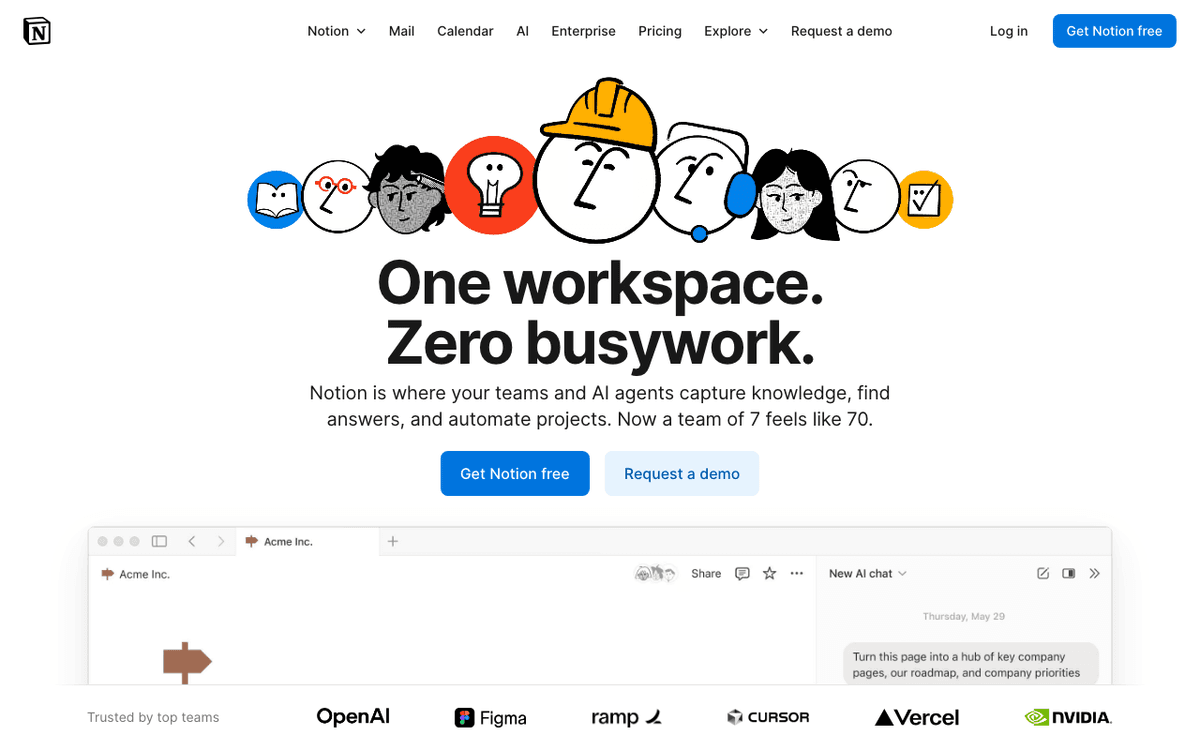
Notion — Official Website
Obsidian

Obsidian — Official Website
Our Verdict
Both Notion and Obsidian are excellent notes. Notion is better for users who prefer polished experiences, while Obsidian excels for those who value established ecosystems.
Feature Comparison
| Feature | Notion | Obsidian |
|---|---|---|
| Price | Free | Free |
| Open Source | No | No |
| Monthly Installs | N/A | N/A |
| GitHub Stars | N/A | N/A |
| Category | Productivity | Productivity |
Quick Install
brew install --cask notionbrew install --cask obsidianLearn More
In-Depth Overview
What is Notion?
Notion is an all-in-one workspace platform that combines notes, documents, databases, wikis, and project management into a unified interface. Founded in 2016 and having raised significant funding, Notion has grown to serve millions of users worldwide—from individual creators to Fortune 500 enterprises. At its core, Notion uses a block-based editor where every element (text, image, database, embed) is a movable, reusable block. The platform excels at structured data through its relational databases, allowing users to create complex workflows, CRMs, content calendars, and knowledge bases. In 2026, Notion has doubled down on AI with Custom Agents that can be fine-tuned for specific tasks, AI Autofill for automatic database enrichment, and expanded context windows for smarter assistance. Notion operates on a freemium model, with paid tiers unlocking advanced features like unlimited file uploads, guest access, and comprehensive AI capabilities.
What is Obsidian?
Obsidian is a knowledge base application that works directly on local Markdown files, prioritizing privacy, longevity, and flexibility. Created by the Dynalist team and first released in 2020, Obsidian has become the go-to tool for researchers, writers, and knowledge workers who value data ownership. Unlike cloud-based alternatives, Obsidian stores all your notes as plain text files on your device, ensuring your second brain remains accessible even without internet. The application's standout feature is its knowledge graph visualization that shows connections between notes through bidirectional linking. Obsidian supports a thriving plugin ecosystem with over 1,000 community plugins extending functionality from calendars to kanban boards. As of 2026, Obsidian v1.12+ delivers improved mobile editing, enhanced graph algorithms, and better PDF annotation. Optional paid services include Obsidian Sync for end-to-end encrypted cloud synchronization and Obsidian Publish for creating public-facing websites from your notes.
Detailed Feature Comparison
Data Storage & Privacy
CriticalCloud-hosted on Notion's AWS infrastructure with SOC 2 Type 2 compliance. Data is encrypted in transit and at rest. Privacy Mode available for AI features. However, data lives on Notion's servers, requiring internet for full functionality. Export options include Markdown, PDF, and HTML.
Local-first architecture stores all notes as plain Markdown files on your device. No account required for core functionality. Optional end-to-end encryption with Obsidian Sync. Your data remains yours forever, accessible with any text editor even if Obsidian disappears.
Verdict: Obsidian wins for privacy purists and offline access. Notion's cloud model enables collaboration but requires trust in their infrastructure.
AI Capabilities
HighDeeply integrated AI with Custom Agents, AI Autofill for databases, writing assistance, summarization, and Q&A across your entire workspace. Uses multiple LLM providers. Included in Business tier ($24/user/mo) or as $10/month add-on. Supports voice input and cross-page AI blocks.
No native AI, but extensive plugin ecosystem enables integration with local models via Ollama or cloud APIs through plugins like Copilot. Users bring their own API keys. Community plugins provide AI chat, text generation, and semantic search capabilities.
Verdict: Notion's built-in AI is significantly more powerful and user-friendly. Obsidian requires technical setup but offers flexibility for AI tool choice.
Collaboration
CriticalReal-time collaborative editing with live cursors, comments, mentions, and page history. Granular permissions (view, comment, edit). Guest access for external collaborators. Team workspaces with shared databases and automated workflows. Enterprise SSO and SCIM provisioning.
Limited native collaboration. Obsidian Sync enables vault sharing between users with version history. No real-time collaborative editing. Third-party solutions like Git or external sync required for team workflows. Publish feature allows public sharing but not private collaboration.
Verdict: Notion is the clear winner for team collaboration. Obsidian is fundamentally designed for individual use with workarounds for limited sharing.
Database & Structure
HighPowerful relational databases with multiple views (table, board, timeline, calendar, gallery, list). Formula support, rollups, relations between databases, and filtered views. Database templates and automated properties. Ideal for complex project management and structured knowledge.
No native databases, but Dataview plugin enables querying notes as structured data using JavaScript-like syntax. Kanban and Calendar plugins provide project views. Metadata via YAML frontmatter. Less polished than Notion but highly customizable for technical users.
Verdict: Notion's native database capabilities are unmatched. Obsidian's plugin-based approach offers flexibility but requires more technical skill.
Knowledge Graph & Linking
HighBasic backlink support with a 'Linked References' section on pages. No visual graph view. Mentions and page links create connections, but the graph is implicit and not explorable. Notion focuses on hierarchical organization over networked thought.
Industry-leading knowledge graph with interactive visualization, local graph views, and global graph exploration. Bidirectional linking with automatic backlink creation. Graph analysis tools show note centrality and orphaned notes. The graph is core to Obsidian's philosophy of connected thinking.
Verdict: Obsidian dominates for knowledge graph and networked note-taking. Notion's linking is functional but not a core feature.
Mobile Experience
HighFull-featured iOS and Android apps with offline support for recently viewed pages. Real-time sync when connected. Mobile AI features including voice input. Clean interface optimized for touch. As of 2026, mobile databases and editing match desktop capabilities.
Available on iOS and Android with local vault access. Obsidian Sync keeps mobile and desktop in sync. Improved significantly in 2026 with better editing and plugin support. However, complex plugins and graph views are less usable on small screens.
Verdict: Notion offers a more polished mobile experience with full feature parity. Obsidian mobile is functional but secondary to desktop usage.
Customization & Extensibility
MediumCustom templates, page icons, covers, and color themes. Formula support for calculated properties. Limited API for integrations and automations. Third-party tools like Notion Enhancer provide additional customization. Locked into Notion's interface paradigms.
Over 1,000 community plugins enabling everything from daily notes to advanced data visualization. Custom CSS themes via community themes or personal CSS snippets. Plugin API for building custom functionality. Core plugins can be disabled for a minimal experience. Ultimate flexibility.
Verdict: Obsidian's plugin ecosystem and open architecture provide unmatched customization. Notion is more constrained but polished.
Learning Curve
MediumIntuitive block-based editor most users grasp quickly. Database features have moderate learning curve. Template gallery provides starting points. Some power features (formulas, rollups, relations) require learning. Generally approachable for non-technical users.
Markdown editing is simple, but the learning curve steepens for advanced features. Plugin selection requires research and configuration. Knowledge graph concepts (Zettelkasten, MOCs) need study. Best suited for users willing to invest time in their system.
Verdict: Notion is more immediately accessible. Obsidian rewards investment but requires more upfront learning.
Notion vs Obsidian Feature Matrix
| Feature | Notion | Obsidian | Winner |
|---|---|---|---|
| Data Storage & Privacy | Good | Excellent | Tie |
| AI Capabilities | Excellent | Fair | Tie |
| Collaboration | Excellent | Limited | Tie |
| Database & Structure | Excellent | Good | Tie |
| Knowledge Graph & Linking | Fair | Excellent | Tie |
| Mobile Experience | Excellent | Good | Tie |
| Customization & Extensibility | Good | Excellent | Tie |
| Learning Curve | Good | Fair | Tie |
Who Should Choose Which?
1Team Project Management
Notion's real-time collaboration, databases with multiple views, and permission controls make it ideal for managing team projects, sprint planning, and shared wikis.
2Personal Knowledge Management / Zettelkasten
Obsidian's bidirectional linking, knowledge graph, and local storage align perfectly with Zettelkasten and networked thought methodologies.
3Content Creation & Publishing
Obsidian Publish creates clean, fast websites from your notes. Writers benefit from local files, version control via Git, and distraction-free writing.
4Company Wiki & Documentation
Notion's structured databases, search capabilities, and team permissions make it superior for organizational knowledge bases that multiple people maintain.
5Academic Research
Researchers benefit from citation plugins, PDF annotation, knowledge graph for connecting ideas, and the ability to work offline with sensitive data.
6CRM & Sales Tracking
Notion's relational databases, formula fields, and automation capabilities enable sophisticated CRM workflows that Obsidian cannot match natively.
Migration Guide
From_notion → Obsidian
1) Export Notion workspace as Markdown + CSV (Settings > Export). 2) Create new Obsidian vault and import files. 3) Convert Notion databases to Dataview queries or table format. 4) Re-create page hierarchy using folders or MOCs (Maps of Content). 5) Set up Obsidian Sync if cloud access needed. 6) Install relevant plugins (Calendar, Kanban, Dataview) to replace Notion features. 7) Manually migrate embedded content (images may need re-linking).
From_obsidian → Notion
1) Copy Markdown files into Notion import (or drag-drop into Notion). 2) Re-create folder structure as page hierarchy or databases. 3) Convert YAML frontmatter to Notion database properties. 4) Re-create Dataview queries as Notion database views. 5) Set up Notion databases for any Kanban/Calendar views. 6) Manually re-create complex plugin functionality using formulas and automations. 7) Invite collaborators and set permissions.
Final Verdict
tie
Winner
Runner-up
Notion and Obsidian represent two equally valid but divergent approaches to productivity software. Notion wins for collaborative, structured work with its superior databases, real-time editing, and integrated AI. Obsidian wins for personal knowledge management with its local-first privacy, knowledge graph, and unmatched customization through 1,000+ plugins. Both receive the same score because they excel in different domains—comparing them directly is like comparing a spreadsheet to a notebook. The right choice depends entirely on whether your priority is team collaboration (Notion) or personal knowledge sovereignty (Obsidian).
Bottom Line: Choose Notion if you work in teams, need databases, or want integrated AI. Choose Obsidian if you prioritize privacy, offline access, knowledge graph capabilities, or data ownership.
Video Tutorials
Getting Started with Notion - Easy Tutorial for Beginners
Howfinity • 85.1K views
Notion Tutorial for Beginners
Kevin Stratvert • 1.6M views
MacBook Widgets and My Notion Keep Me Productive
Productivity Headquarters • 75.0K views
How to Get Started with Notion (without losing your mind)
Jeff Su • 1.2M views
Frequently Asked Questions
About the Author

Explore More on Bundl
Browse notes apps, read our complete guide, or discover curated bundles.
Related Technologies & Concepts
Related Topics
Knowledge Management Systems
Tools and methodologies for organizing, connecting, and retrieving information
AI-Assisted Writing
Tools integrating large language models for content generation and organization
Second Brain Methodologies
Systems for building personal knowledge bases and thought networks
Sources & References
Fact-CheckedLast verified: May 8, 2026
Key Verified Facts
- Notion Business tier includes unlimited AI features as of 2026[cite-notion-pricing]
- Obsidian core application is free for personal use with no feature limitations[cite-obsidian-pricing]
- Notion introduced Custom Agents and AI Autofill features in 2026[cite-notion-releases]
- Obsidian offers over 1,000 community plugins as of 2026[cite-obsidian-plugins]
- Obsidian Sync provides end-to-end encryption for $4/month when billed annually[cite-obsidian-pricing]
- 1Notion Pricing Plans: Free, Plus, Business, & Enterprise
Accessed May 8, 2026
- 2Pricing - Obsidian
Accessed May 8, 2026
- 3What's New – Notion Releases
Accessed May 8, 2026
- 4Obsidian Plugin Directory
Accessed May 8, 2026
- 5Obsidian Help Documentation
Accessed May 8, 2026
- 6Meet your AI team | Notion
Accessed May 8, 2026
- 7Notion vs Obsidian – All Features Compared (2026)
Accessed May 8, 2026
Research queries: Notion pricing plans 2026 AI features; Obsidian pricing 2026 sync publish features; Notion vs Obsidian comparison 2026; Obsidian new features 2026 updates