TL;DR
Sequel Pro vs TablePlus: TablePlus wins because Sequel Pro is abandoned. Treat this as a migration guide, not a contest. Move to TablePlus for multi engine work or Sequel Ace for free MySQL and MariaDB continuity. Do not keep a stale close contest narrative. If someone says it still works on my machine, read that as it has not failed yet. Reliability is about patch cadence and authentication compatibility, not one lucky connection. Name the migration in writing so future teammates do not reintroduce the abandoned binary from an old DMG.
Which is better: Sequel Pro or TablePlus?
Sequel Pro is the top pick for most Mac users looking at database. It is free and installs in one Homebrew command. TablePlus is the stronger choice if you want database. As of September 2026, both install with brew install --cask sequel-pro and brew install --cask tableplus.
Sequel Pro vs TablePlus
Which is the better database for Mac in 2026?
We compared Sequel Pro and TablePlus across 6 key factors including price, open-source status, and community adoption. Read our full breakdown below.
Sequel Pro
Fast, easy-to-use Mac database management application for working with MySQL databases.
TablePlus
Modern, native database management tool
Visual Comparison
TablePlus
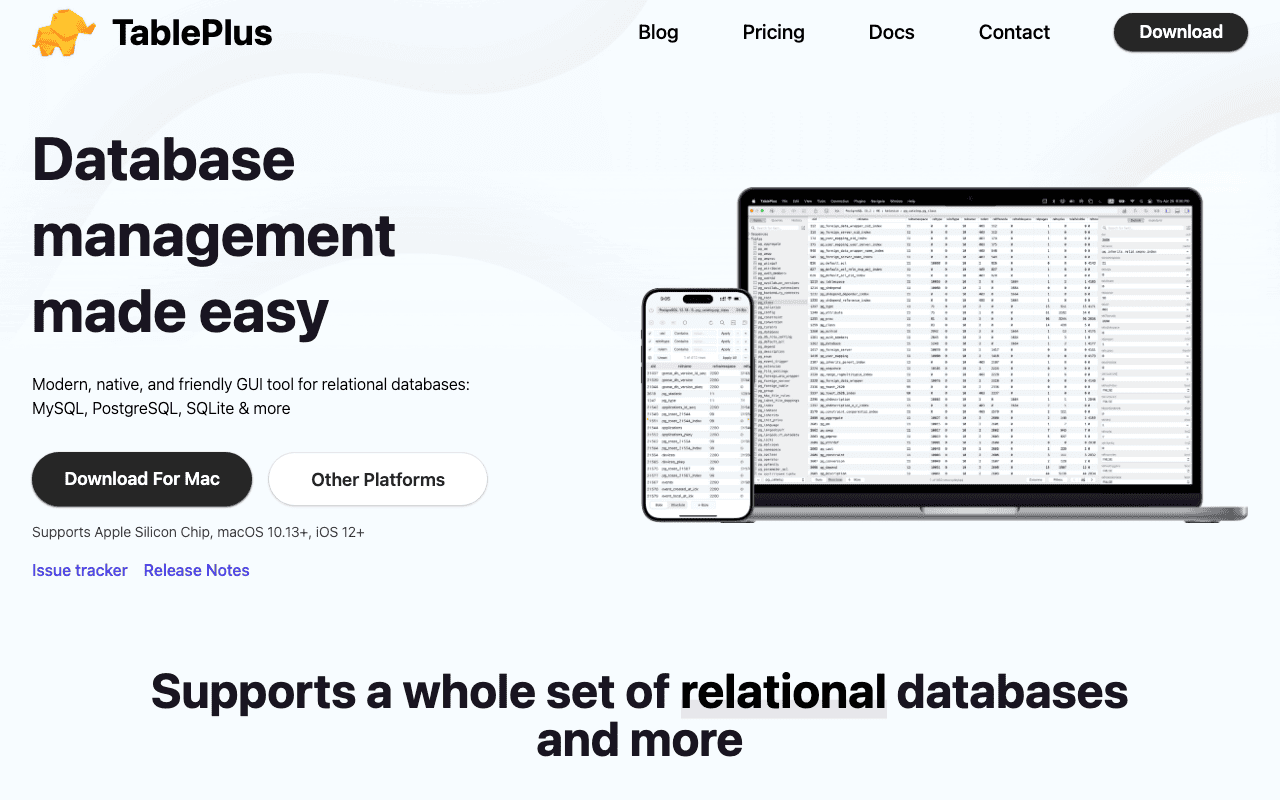
TablePlus — Official Website
Our Verdict
TablePlus wins because Sequel Pro is abandoned. Treat this as a migration guide, not a contest. Move to TablePlus for multi engine work or Sequel Ace for free MySQL and MariaDB continuity. Do not keep a stale close contest narrative. If someone says it still works on my machine, read that as it has not failed yet. Reliability is about patch cadence and authentication compatibility, not one lucky connection. Name the migration in writing so future teammates do not reintroduce the abandoned binary from an old DMG.
Feature Comparison
| Feature | Sequel Pro | TablePlus |
|---|---|---|
| Price | Free | Paid |
| Open Source | No | No |
| Replaces | Navicat Premium ($1,299) | — |
| Best for | database, mysql, sql | database, sql, management |
| Install | brew install --cask sequel-pro | brew install --cask tableplus |
| Category | Developer Tools | Developer Tools |
Quick Install
brew install --cask sequel-probrew install --cask tableplusLearn More
In-Depth Overview
What is Sequel Pro?
Sequel Pro was for years the friendly MySQL companion on Mac, a native Cocoa client with a clean browser, query editor, SSH tunnelling and CSV and SQL export. It followed the CocoaMySQL line, winning users through simplicity rather than engine breadth. Maintenance on the original stopped around 2019-2020. The last meaningful stable line is mid 2010s vintage, with open GitHub issues laying out MySQL 8 authentication struggles and the steady move of users toward forks. On Apple Silicon the original binary mostly appears as a holdover from old installs or Rosetta era builds. The active continuation is Sequel Ace, the community fork that brought Apple Silicon support and ongoing MySQL and MariaDB patches while staying free and open source. As of 2026 the original should be called what it is, abandoned. It may still open certain legacy connections, yet it is not a reliable foundation for new projects and no longer compares as a current product. A comparison page that omits that status and a migration pointer is itself outdated. Much of the brand still visible in search comes from the period between 2008 and the mid 2010s, when developers on MAMP or remote cPanel MySQL wanted something more humane than phpMyAdmin. Saved queries, a simple SSH toggle and native typography made daily schema work comfortable, and images from that age keep circulating in guides. That tail explains older rankings rather than any recent release. Apple Silicon and the new MySQL 8 authentication defaults exposed the gap. Logins broke, patches stayed rare and community threads filled with questions about whether the project was finished. No sustained response came. First party integrations moved on, with Local WP pointing people toward Adminer or TablePlus. Attachment is easy to understand. Utility software rarely inspires affection, and Sequel Pro was an exception because it felt small and right on Mac. Affection still cannot justify risk on production access. An unmaintained client can mangle TLS, use stale assumptions or refuse modern handshakes. Course materials, onboarding pages and wikis that say install Sequel Pro should now say Sequel Ace or TablePlus. If your internal docs deep link to sequelpro.com downloads without a warning, add one or archive the page, and rotate database passwords when that favourites file once lived in unencrypted backups.
What is TablePlus?
TablePlus comes from TablePlus Inc. as the modern database client many former Sequel Pro users adopted. It ships on macOS, Windows, Linux and iOS. On Mac the experience feels home turf, with tabs, dark mode, inline edits that gather into a review before commit, schema aware completion, SSH and TLS details and saved favourites. It speaks to a long list of engines including PostgreSQL, MySQL, MariaDB, SQLite, SQL Server, Redis, Cassandra, CockroachDB and Redshift, far outside the MySQL enclosure Sequel Pro lived in. One list of favourites can combine production Postgres, a cache, a local SQLite file and staging MySQL, which removes the old pattern of a different GUI for each store. Sales are perpetual, not subscription. A free tier allows two tabs, two windows and two advanced filters. Basic is $99 for one machine, Standard $129 for two machines with a promo discount from a $198 list, and Team begins at $79 per seat with a three seat floor. Every paid licence carries a year of updates and support. Afterwards the app keeps running without a required renewal. Familiar habits translate. Browse tables in a packed grid, shape SSH config alongside the connection, avoid being pushed into a browser IDE for local edits. Where TablePlus steps ahead is coverage. A single connection list can represent your real topology instead of pretending everything is MySQL. Inline editing uses a staging model similar to version control. Change a handful of cells, inspect the SQL, then apply. Anyone who has misclicked a row on production understands why that pause is worth a licence. Many tools shifted to monthly billing. TablePlus kept owned seats. The free tier is tight enough that daily professionals outgrow it quickly, yet open enough for workshops and light administration. Basic fits the single MacBook life. Standard suits a desktop plus laptop pair. Team brings management for small studios, and iOS companions unlock for paid desktop holders while the desktop licence remains. After the included year you can renew for new drops or remain on the build you have. That predictability recalls the shareware period Sequel Pro users knew, except this app is still shipping. If you depend on a lesser used engine, read release notes to judge whether your workflow is first class or best effort, and colour mark prod and staging so no one writes to the wrong host.
Detailed Feature Comparison
Development Status
CriticalAbandoned. No meaningful upstream work since about 2019-2020. Community guidance and Local WP docs now treat Sequel Pro as replaced by Sequel Ace. Not safe as a long term dependency on Tahoe 26 Macs.
Actively sold and updated with multi platform clients, a licence manager and ongoing engine work. Sound for production developer workstations in 2026.
Verdict: Status alone decides the comparison. Abandoned versus actively maintained is not a close call.
Database Engine Support
CriticalMySQL and partial MariaDB only. If your app touches Postgres or Redis, you need another tool.
PostgreSQL, MySQL, MariaDB, SQLite, SQL Server, Redis, Cassandra, CockroachDB, Redshift and more in one app.
Verdict: TablePlus covers modern polyglot stacks. Sequel Pro covers MySQL alone.
Query Editor & Inline Editing
HighThe classic editor and table browser were great for their time but are frozen in place. No modern autocomplete and no staged multi cell commit to catch mistakes.
Schema aware autocomplete plus inline edits that stage before commit, which cuts accidental writes on production.
Verdict: Staged edits and autocomplete make TablePlus the safer daily driver for interactive data changes.
Security & Modern MySQL Compatibility
CriticalKnown friction with MySQL 8 authentication plugins and no active security response on the original project. Do not rely on it for production MySQL 8.
Current TLS and SSH tunnel support with active updates for modern server authentication. Prefer it for production access.
Verdict: Do not expose production MySQL 8 solely through unmaintained Sequel Pro builds that lack a security response.
Pricing & Licensing
HighFree. The Sequel Ace fork is also free if you only need MySQL or MariaDB.
Free tier with limits. Basic $99 for one device, Standard $129 for two, Team from $79 per seat. Perpetual use after purchase with one year of updates.
Verdict: Sequel Pro and Ace win purely on price. TablePlus wins on capability per dollar for professionals who need more than MySQL.
Platform Support
MediumHistorical macOS only client. The original project was never a modern multi OS product.
macOS, Windows, Linux and iOS companions, with shared licence benefits on paid plans.
Verdict: TablePlus fits mixed operating system teams. Sequel Pro never did and never will.
Migration Path
HighYou can export connection details and favourites manually. If you want the closest free continuity, Sequel Ace is the right move.
Import workflows and multi engine favourites make it the durable landing spot for most people leaving Sequel Pro.
Verdict: Migration should end at TablePlus or Sequel Ace, not stay on Sequel Pro.
macOS Feel & Performance
MediumStill feels native when it launches, which explains why people kept it past abandonment.
Modern native Mac client with dark mode, tabs and fast Apple Silicon performance for daily browsing and queries.
Verdict: TablePlus keeps the native Mac feel without the maintenance risk that comes with Sequel Pro.
Who Should Choose Which?
1Greenfield Mac developer
Start on the TablePlus free tier and buy Basic once tab limits slow you down. Do not install the abandoned original on a new machine.
2MySQL-only hobbyist on a budget
Stay free, but choose Sequel Ace, not the original Sequel Pro. It is the maintained free path for MySQL and MariaDB on Mac.
3Polyglot backend engineer
PostgreSQL plus Redis plus MySQL in one client removes the need to juggle tools.
4Agency with Windows and Mac laptops
A shared mental model across operating systems. Sequel Pro cannot standardise a mixed team.
5Student learning SQL
The free tier covers coursework. Upgrade later if you need more, and avoid learning on unmaintained clients.
6Legacy Sequel Pro power user
Export favourites this week. If you want minimal change, try Sequel Ace first; if you want multi-engine future-proofing, buy TablePlus.
Migration Guide
Sequel Pro → Tableplus
1) Export or screenshot connection favourites (host, user, SSH tunnel). 2) Install TablePlus and recreate connections with SSH/TLS. 3) Re-save common queries as TablePlus snippets. 4) Uninstall Sequel Pro to prevent accidental use against production. 5) Optionally keep Sequel Ace only if you need a free MySQL-only fallback. Optional: keep a read-only staging connection in Sequel Ace for a week as a comfort blanket, then remove it. Rotate database passwords if the old machine had a shared Sequel Pro favorites file floating around in unencrypted backups.
Tableplus → Sequel Pro
Not recommended. Moving to the abandoned original loses engine coverage, safety and updates. If price is the blocker, stay on the TablePlus free limits for a while or switch to Sequel Ace for MySQL and MariaDB instead of reinstalling a dead client.
Pro Tips
Name the problem correctly in docs and onboarding: We do not use Sequel Pro, we use TablePlus or Sequel Ace. That one sentence prevents zombie installs on new Macs. For teachers, update course VMs before semester start so students do not learn on a dead client. For consultants, bill a small toolchain modernisation line item. Clients understand abandoned tooling risk once you explain MySQL 8 authentication failures and the lack of security updates. Rotate any credentials that lived in old shared favourite files stored in unencrypted backups.
Final Verdict
TablePlus
Winner
Runner-up
Scores are Bundl.run editorial ratings out of 10 across 8 criteria (the feature comparison above), last reviewed August 2026.
TablePlus wins because Sequel Pro is abandoned. Treat this as a migration guide, not a contest. Move to TablePlus for multi engine work or Sequel Ace for free MySQL and MariaDB continuity. Do not keep a stale close contest narrative. If someone says it still works on my machine, read that as it has not failed yet. Reliability is about patch cadence and authentication compatibility, not one lucky connection. Name the migration in writing so future teammates do not reintroduce the abandoned binary from an old DMG.
Bottom Line: Use TablePlus. If you must stay free and MySQL-only, use Sequel Ace. Stop installing original Sequel Pro on new Macs. Schedule the migration; do not wait for a production outage to force it. Budget a half day now.
Video Tutorials
I love my database GUI
PlanetScale • 78.2K views
Install TABLEPLUS on MacOS and Connect to MySQL in Minutes!
CK Data Tech • 2.1K views
I love my database GUI #database #mysql #postgresql
PlanetScale • 56.1K views
TablePlus - Best HeidSQL alternative for Macos
Achour Meguenni • 10.4K views
Frequently Asked Questions
Is Sequel Pro still safe to use in 2026?
What should replace Sequel Pro on Mac?
How much does TablePlus cost?
Is TablePlus a subscription?
Can Sequel Pro talk to PostgreSQL or Redis?
Is Sequel Ace the same as Sequel Pro?
Does TablePlus run on Apple Silicon and macOS Tahoe?
Why do some guides still recommend Sequel Pro?
Can I import Sequel Pro connections into TablePlus?
Who wins Sequel Pro vs TablePlus?
Will Sequel Pro ever come back?
Does TablePlus replace MySQL Workbench?
Can I use TablePlus offline?
Is Redis support a gimmick?
What about Beekeeper Studio or DBeaver?
About the Author

Explore More on Bundl
Browse database apps or discover curated bundles.
Sources & References
Fact-CheckedLast verified: Aug 9, 2026
Key Verified Facts
- Sequel Pro is abandoned with no meaningful maintenance since ~2019-2020; Sequel Ace or TablePlus are recommended replacements.[cite-deprecated-intel, cite-sequel-github, cite-beekeeper-alts]
- TablePlus Basic licences cost $99 per device and Standard $129 for two devices as perpetual purchases with one year of updates.[cite-tableplus-pricing]
- TablePlus free trial limits users to 2 tabs, 2 windows, and 2 advanced filters at a time.[cite-tableplus-pricing]
- TablePlus supports many engines beyond MySQL including PostgreSQL, SQLite, SQL Server, and Redis.[cite-tableplus-home, cite-beekeeper-alts]
- Community and vendor write-ups in 2026 continue to frame Sequel Pro as abandoned and list Sequel Ace/TablePlus among replacements.[cite-beekeeper-alts, cite-local-wp]
- 1TablePlus Pricing
Accessed Aug 9, 2026
- 2TablePlus, Modern Database Tool
Accessed Aug 9, 2026
- 3Sequel Pro abandonment discussion on GitHub
Accessed Aug 9, 2026
- 4Sequel Ace
Accessed Aug 9, 2026
- 5Sequel Pro & Sequel Ace alternatives (Beekeeper Studio)
Accessed Aug 9, 2026
- 6bundl deprecated apps intel (Sequel Pro abandoned)
Accessed Aug 9, 2026
- 7Local WP community: Sequel Pro abandoned, use Sequel Ace
Accessed Aug 9, 2026
Research queries: Sequel Pro abandoned 2026; TablePlus pricing perpetual license; Sequel Ace vs TablePlus
Related Technologies & Concepts
Related Topics
Abandoned Mac Devtools
Mac tools that have fallen out of maintenance and need migration guidance rather than parity charts. Linking should push readers toward kept-alive options and away from abandoned downloads.
Database GUIs
Native and cross platform SQL clients for developers on Mac. Good linking steers readers to kept-alive clients with current engine and OS support.