TL;DR
Visual Studio Code vs Zed: Both Visual Studio Code and Zed are excellent AI coding. Visual Studio Code is better for users who prefer polished experiences, while Zed excels for those who value established ecosystems.
Which is better: Visual Studio Code or Zed?
Both Visual Studio Code and Zed are excellent AI coding. Visual Studio Code is better for users who prefer polished experiences, while Zed excels for those who value established ecosystems.
Visual Studio Code vs Zed
Which is the better AI coding for Mac in 2026?
We compared Visual Studio Code and Zed across 5 key factors including price, open-source status, and community adoption. Both Visual Studio Code and Zed are excellent AI coding. Read our full breakdown below.
Visual Studio Code
Open-source code editor by Microsoft
Zed
High-performance multiplayer code editor
Visual Comparison
Visual Studio Code
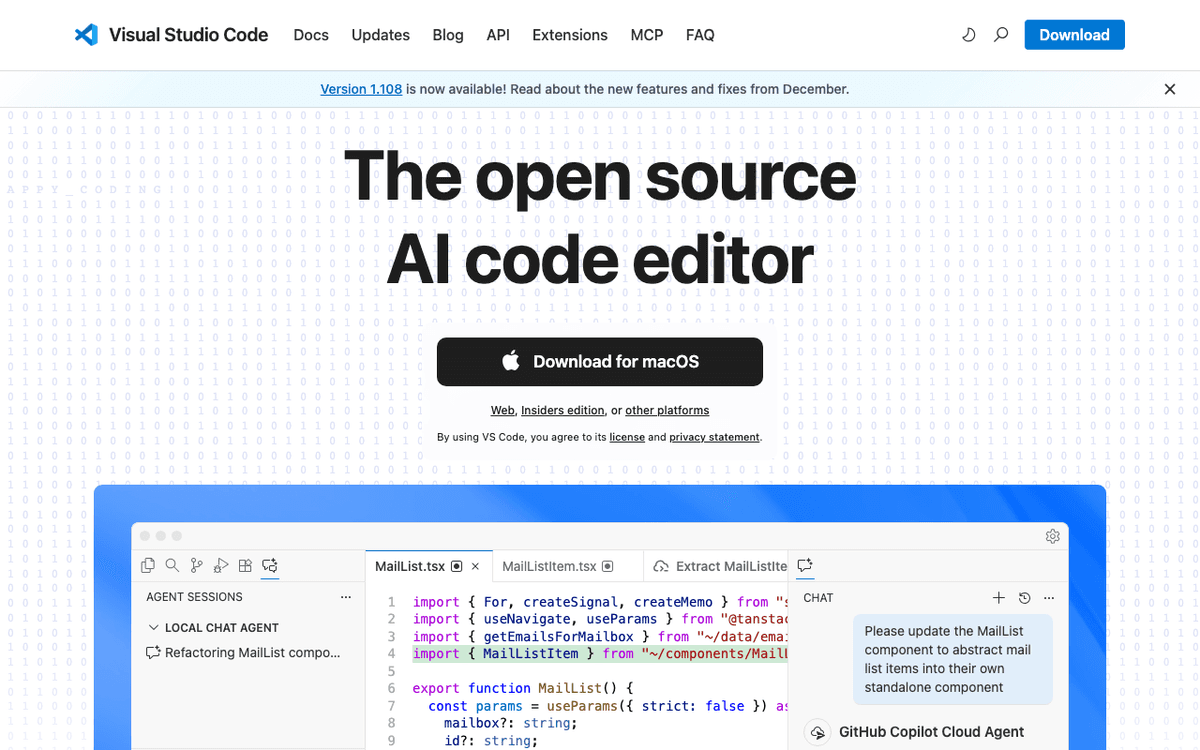
Visual Studio Code — Official Website
Zed
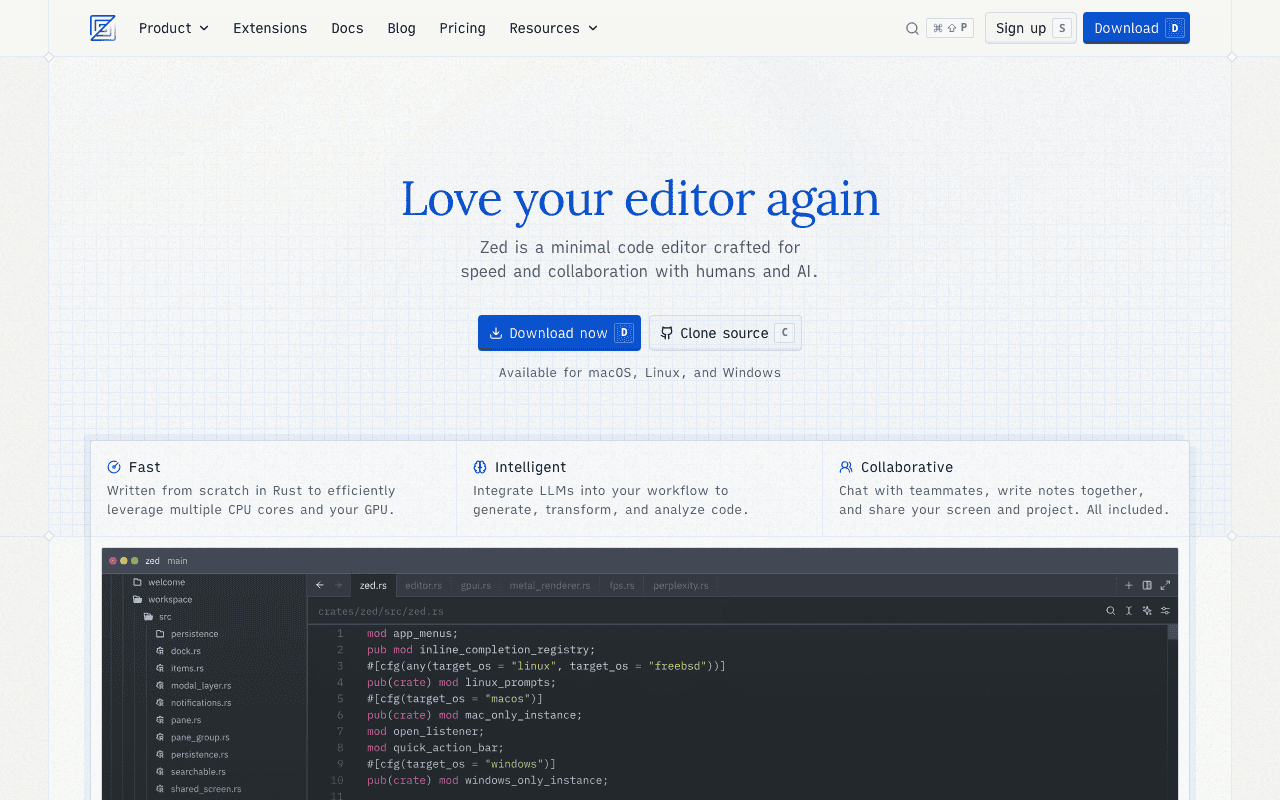
Zed — Official Website
Our Verdict
Both Visual Studio Code and Zed are excellent AI coding. Visual Studio Code is better for users who prefer polished experiences, while Zed excels for those who value established ecosystems.
Feature Comparison
| Feature | Visual Studio Code | Zed |
|---|---|---|
| Price | Free | Free |
| Open Source | No | No |
| Monthly Installs | N/A | N/A |
| GitHub Stars | N/A | N/A |
| Category | Developer Tools | Developer Tools |
Quick Install
brew install --cask visual-studio-codebrew install --cask zedLearn More
In-Depth Overview
What is Visual Studio Code?
Visual Studio Code is Microsoft's free, open-source code editor that has become the industry standard since its 2015 release. Built on the Electron framework, it runs on Windows, macOS, and Linux with a consistent experience across platforms. VS Code's defining strength is its extension marketplace, hosting over 50,000 plugins that support virtually every programming language, framework, and workflow imaginable. In 2026, VS Code continues to evolve with deeper GitHub Copilot integration, including a free tier offering 2,000 completions and 50 chat requests monthly. The editor offers IntelliSense code completion, built-in Git integration, debugging tools, and a terminal. Its ubiquity means tutorials, themes, and community support are abundant, making it the safest choice for developers who need specific tooling or work in teams with diverse requirements.
What is Zed?
Zed is a high-performance code editor that reached version 1.0 in 2026, built by the creators of Atom and Tree-sitter. Written entirely in Rust and rendered using the GPU, Zed achieves startup times under a second and memory usage around 222MB compared to VS Code's 3.5GB footprint. Its architecture prioritizes mechanical sympathy, ensuring keystrokes register with minimal latency even on large files. Zed offers native multiplayer collaboration, allowing multiple developers to edit simultaneously with no screen sharing lag. The editor provides integrated AI support via Claude, GPT-5.4, and Gemini 3.1 Pro through a Pro tier at $20 monthly, though users can also bring their own API keys for free. After launching Windows support in late 2024, Zed is now fully cross-platform. It appeals to developers frustrated by Electron bloat who want a focused, distraction-free coding environment.
Detailed Feature Comparison
Performance & Speed
CriticalVS Code's Electron foundation means 1-3 second startup times and memory usage often exceeding 3GB with extensions loaded. File operations on large projects can show noticeable lag. GPU acceleration is limited to specific rendering paths.
Zed starts in under 0.6 seconds and maintains a 120 FPS UI. Memory footprint stays around 222MB. The Rust-based architecture handles files with millions of lines without slowdown. Everything from search to syntax highlighting feels instantaneous.
Verdict: Zed is demonstrably faster in every measurable metric. Its native Rust architecture provides responsiveness that Electron cannot match, especially on Apple Silicon hardware.
Extension Ecosystem
CriticalOver 50,000 extensions in the marketplace covering every language, framework, linter, formatter, and cloud integration imaginable. Extensions are officially supported and most are actively maintained. The ecosystem is VS Code's moat.
Zed uses a native extension system that is growing but immature. Many specialized tools for obscure languages or proprietary cloud platforms are unavailable. The gap is narrowing but still significant for niche workflows.
Verdict: VS Code's extension marketplace is insurmountable. For developers relying on specific tools, Zed may not yet be a viable replacement.
AI Integration
HighGitHub Copilot is deeply integrated with agentic capabilities, completions, chat, and inline edits. Free tier: 2,000 completions and 50 chat requests monthly. Pro at $10/mo adds unlimited completions. Supports multiple models including GPT-4o and Claude.
Zed's Assistant panel supports Claude, GPT-5.4, Gemini 3.1 Pro, and Grok. Users can bring their own API keys for free or subscribe to Zed Pro at $20/mo for hosted AI. Includes inline transformations and chat. Not as deeply integrated as Copilot.
Verdict: VS Code with Copilot offers more mature, deeply integrated AI features. Zed's AI is capable but newer and less refined in multi-file operations.
Real-time Collaboration
MediumVS Code Live Share extension provides solid pair programming capabilities with shared terminals and server forwarding. Requires setup and both parties must have the extension. Performance depends on connection quality.
Multiplayer collaboration is a core feature, not an extension. Click to join a workspace, see multiple cursors, follow developers smoothly with minimal latency. Native integration makes remote pair programming feel local.
Verdict: Zed's built-in multiplayer is more performant and seamless than VS Code's extension-based approach. The difference is immediately noticeable for teams that pair program regularly.
UI/UX Design
MediumFamiliar, information-dense interface that developers know well. Highly customizable themes and layouts. Can become cluttered with multiple sidebars, terminals, and AI panels open. Functional but utilitarian.
Minimalist, refined aesthetic prioritizing code real estate. GPU rendering provides crisp typography. Every UI element is intentional and distraction-free. The 'disable all AI features' setting even strips away AI for pure editing.
Verdict: Zed's design is more intentional and modern. VS Code's interface is functional but shows its age and Electron heritage. Zed feels like software designed in 2026, VS Code feels like software from 2015.
Code Intelligence
HighMature Language Server Protocol support across all major languages. IntelliSense provides accurate autocompletion, go-to-definition, and refactoring. Decades of refinement make it reliable for complex codebases.
Fast LSP integration with Tree-sitter for precise syntax highlighting. Navigation and symbol search are snappy. Some edge cases in less common languages may have rough spots compared to VS Code's mature implementations.
Verdict: VS Code's longer development history gives it an edge in language support breadth and edge-case handling. Zed is excellent for mainstream languages but may lag in niche areas.
Learning Curve
MediumUbiquitous documentation, tutorials, and community resources. Most developers have used it. Settings and workflows are standardized across the industry. New team members require zero training.
Intuitive but requires adjustment. Offers VS Code keymap mode for easier transition. Some unique concepts like channels and the command palette differ. Documentation is good but community resources are fewer.
Verdict: VS Code's industry dominance means most developers already know it. Zed has a learning curve for developers accustomed to Electron-based editors, though it offers keymap migration aids.
Platform Support
HighFully cross-platform with native builds for Windows, macOS, and Linux. ARM64 support for Apple Silicon and Windows ARM. Web version available for browser-based editing. Consistent experience across all platforms.
Native macOS and Linux builds are mature. Windows support launched late 2024 and is now stable as of 2026 but may still have minor rough edges. No web version available. Primary focus remains macOS.
Verdict: VS Code's cross-platform maturity and web version give it broader accessibility. Zed's Windows support is newer and less battle-tested, though functional for most users.
Visual Studio Code vs Zed Feature Matrix
| Feature | Visual Studio Code | Zed | Winner |
|---|---|---|---|
| Performance & Speed | Fair | Excellent | Zed |
| Extension Ecosystem | Excellent | Fair | Visual Studio Code |
| AI Integration | Excellent | Good | Visual Studio Code |
| Real-time Collaboration | Good | Excellent | Zed |
| UI/UX Design | Good | Excellent | Zed |
| Code Intelligence | Excellent | Good | Visual Studio Code |
| Learning Curve | Excellent | Good | Visual Studio Code |
| Platform Support | Excellent | Good | Visual Studio Code |
Who Should Choose Which?
1The Full-Stack Developer with 30+ Extensions
If your workflow depends on specific VS Code extensions for CSS preprocessing, cloud deployments, database tools, or obscure language support, Zed cannot yet replace your setup. Stay with VS Code until Zed's extension ecosystem matures.
2The Systems Programmer
Working in Rust, C++, or Go on large codebases benefits enormously from Zed's speed. The low memory footprint leaves resources for compilation, and the instant startup fits the iterative workflow of systems development.
3The Remote Pair Programming Team
Teams that do daily pair programming or code reviews will find Zed's multiplayer collaboration transformative. The low-latency shared editing makes remote work feel like working at the same desk.
4The Junior Developer
Learning to code is easier with VS Code's abundant tutorials, community answers, and forgiving interface. The sheer volume of educational content makes it the safer choice for those still building their workflow.
Migration Guide
From_visual Studio Code → Zed
Install Zed and select the VS Code keymap during setup to preserve muscle memory. Manually review your essential VS Code extensions and check Zed's extension registry for equivalents. For missing extensions, consider whether Zed's built-in features (like integrated terminal improvements) reduce the need. Export your VS Code settings JSON to reference key bindings and customizations. Configure Zed's AI assistant with your own API keys to replicate Copilot functionality. Expect a 1-2 week adjustment period for Zed's different panel layouts and command palette behavior.
From_zed → Visual Studio Code
Install VS Code and use the settings sync or manual import of keybindings if you have previous VS Code configurations. Install the GitHub Copilot extension to access AI features. Browse the marketplace for extensions matching Zed's built-in capabilities. Adjust to the heavier UI and longer startup times. Consider disabling unnecessary extensions to improve performance. Your Zed muscle memory for speed will make VS Code feel sluggish initially, but the extension ecosystem offers compensatory capabilities.
Final Verdict
tie
Winner
Runner-up
Visual Studio Code and Zed represent different philosophies, not different quality levels. VS Code is the extensible platform that can become anything you need, at the cost of performance. Zed is the performance-optimized tool that does less but does it flawlessly. In 2026, both are mature, cross-platform, and AI-capable. The choice depends entirely on whether you prioritize ecosystem breadth or editing speed. Neither is the wrong choice. VS Code remains the safer default for most teams due to its extension ecosystem and familiarity. Zed is the upgrade for developers who have outgrown Electron's limitations and want an editor that respects their hardware.
Bottom Line: Choose VS Code if you need specific extensions, maximum flexibility, or work in large teams with established workflows. Choose Zed if you prioritize speed, minimalism, and real-time collaboration. Both are free to try—test Zed for a week to see if the performance difference justifies rebuilding your workflow.
Video Tutorials
Learn Visual Studio Code in 7min (Official Beginner Tutorial)
Visual Studio Code • 3.5M views
How to Install Visual Studio Code on Mac | Install VSCode on macOS
ProgrammingKnowledge • 434.4K views
Visual Studio Code (Mac) - Setting up a Python Development Environment and Complete Overview
Corey Schafer • 281.3K views
How to Install Visual Studio Code on Mac for Beginners | Set up VS Code on Mac OS Step-by-Step Guide
Devtamin • 2.3K views
Frequently Asked Questions
About the Author

Explore More on Bundl
Browse AI coding apps, read our complete guide, or discover curated bundles.
Related Technologies & Concepts
Related Topics
High-Performance Code Editors
Editors prioritizing speed, low latency, and efficient resource usage through native implementation.
Open Source Development Tools
Free, community-driven editors with extensible architectures.
AI-Assisted Development
Tools integrating large language models for code completion and generation.
Sources & References
Fact-CheckedLast verified: May 8, 2026
Key Verified Facts
- Visual Studio Code is free, open-source, and maintained by Microsoft under the MIT license.[cite-vscode-official]
- GitHub Copilot free tier provides 2,000 completions and 50 chat requests per month in VS Code.[cite-copilot-pricing]
- Zed reached version 1.0 in 2026 and is now available on Windows, macOS, and Linux.[cite-zed-version]
- Zed uses approximately 222MB RAM compared to VS Code's 3.5GB+ with extensions loaded.[cite-zed-performance]
- Zed startup time is under 0.6 seconds versus VS Code's 1-3 seconds.[cite-zed-performance]
- 1Visual Studio Code - Code Editing. Redefined.
Accessed May 8, 2026
- 2GitHub Copilot Pricing 2026
Accessed May 8, 2026
- 3Zed - Your Last Next Editor
Accessed May 8, 2026
- 4Zed Pricing
Accessed May 8, 2026
- 5Zed team releases version 1.0 of Rust-built editor
Accessed May 8, 2026
- 6Zed vs VS Code 2026: 2x Startup Speed and 16x Memory Gap [Tested]
Accessed May 8, 2026
- 7VS Code Marketplace Statistics
Accessed May 8, 2026
Research queries: Visual Studio Code pricing free 2026 GitHub Copilot; Zed editor 2026 version 1.0 pricing Windows support; VS Code vs Zed performance comparison 2026 benchmarks