TL;DR
Apple Notes vs Notion: For most Mac users in 2026, Notion is the better choice for note-taking because it ranks higher in Homebrew install popularity (#39). Both install with a single Homebrew command, so the switching cost is low. Choose Apple Notes instead if you are moving off Bear.
Which is better: Apple Notes or Notion?
Notion is the top pick for most Mac users looking at note-taking. It has a free tier and installs in one Homebrew command. Apple Notes is the stronger choice if you are moving off Bear. As of September 2026, both install with brew install --cask apple-notes and brew install --cask notion.
Apple Notes vs Notion
Which is the better note-taking for Mac in 2026?
We compared Apple Notes and Notion across 6 key factors including price, open-source status, and community adoption. Read our full breakdown below.
Apple Notes
Built-in macOS note-taking app with iCloud sync, rich text, and collaboration features.
Notion
All-in-one workspace for notes, tasks, wikis, and databases
Visual Comparison
Notion
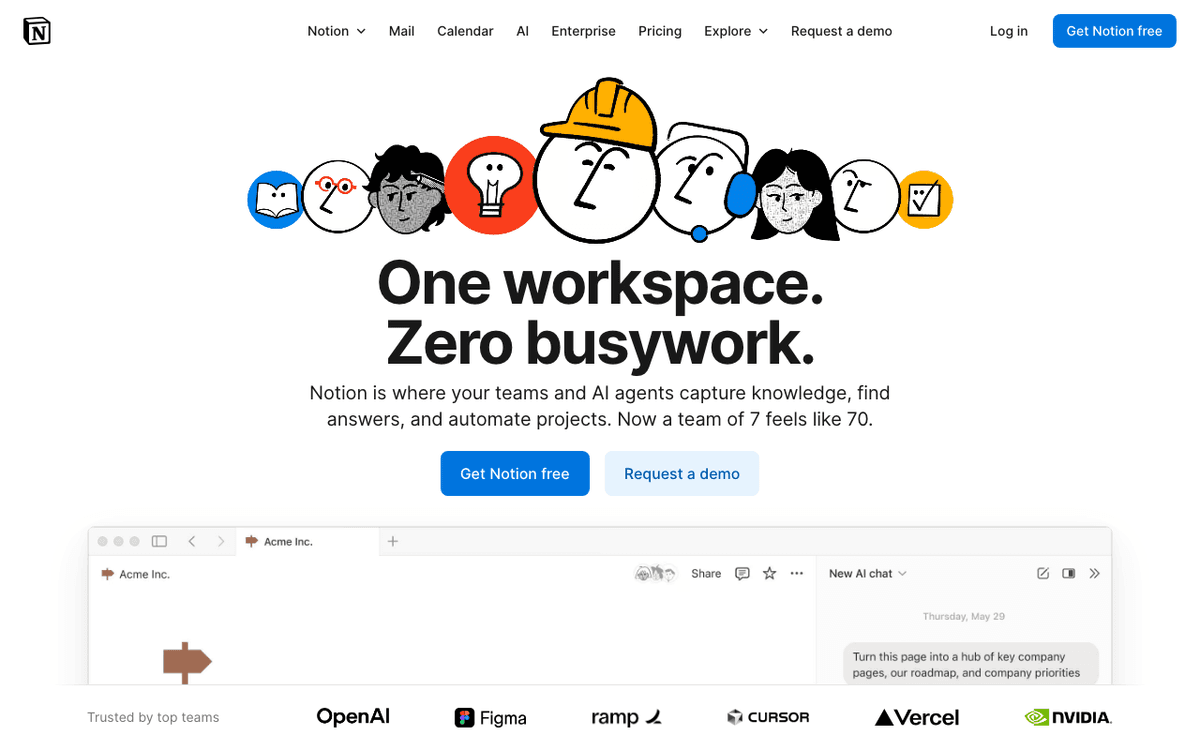
Notion — Official Website
Our Verdict
For most Mac users in 2026, Notion is the better choice for note-taking because it ranks higher in Homebrew install popularity (#39). Both install with a single Homebrew command, so the switching cost is low. Choose Apple Notes instead if you are moving off Bear.
Feature Comparison
| Feature | Apple Notes | Notion |
|---|---|---|
| Price | Free | Free |
| Open Source | No | No |
| Replaces | Bear ($3/month) | Roam Research ($15/month) |
| Best for | notes, writing, apple | notes, wiki, database |
| Install | brew install --cask apple-notes | brew install --cask notion |
| Category | Productivity | Productivity |
Quick Install
brew install --cask apple-notesbrew install --cask notionLearn More
In-Depth Overview
What is Apple Notes?
Apple Notes is Apple’s built-in note-taking app across macOS, iOS and iPadOS. It prioritises instant capture, iCloud sync and deep system integration through the Share Sheet, widgets, Spotlight, Continuity Camera and Apple Pencil. On modern Macs, Apple Intelligence Writing Tools help proofread, rewrite and summarise content without a separate per-seat SaaS fee. Notes is intentionally not a project-management suite: there is no plugin marketplace, no multiplayer relational database and limited enterprise admin. It wins by disappearing into the operating system and staying reliable offline.
What is Notion?
Notion is an all-in-one workspace combining documents, wikis, tasks and relational databases. Teams build internal tools with views, forms, dashboards, automations and AI agents that can draft, autofill and research across connected apps. By August 2026 the AI story is inseparable from plan choice: full Notion Agent and AI Meeting Notes sit with Business and Enterprise, while Custom Agents and Workers introduce credit metering after trials. The macOS client is capable, but the product remains cloud-authoritative compared with local-first notebooks.
Detailed Feature Comparison
Ease of Capture
CriticalHotkeys, widgets, Share Sheet, lock-screen capture and Pencil input make Notes the fastest path from thought to saved note on Apple devices. Day to day, the better tool is the one that fits how you actually capture, organise and get information back under pressure, not the one with the longest spec sheet for capture workflows. If you are reading this more than a few months after August 2026, double-check vendor pricing and release notes Check notion.com/pricing and Apple release notes.
Mobile widgets and templates help, but cold start and account context are heavier than a system Notes window. In real work, pick the app that matches your capture and retrieval habits rather than the one that lists the most features. Reading this well after August 2026. Check the vendors pricing pages and release notes directly.
Verdict: Apple Notes wins frictionless personal capture.
Databases & Structure
CriticalFolders, tags, smart folders and simple tables support light organisation only. For daily use, the winner is the app that suits how you take and find notes when a deadline is running, not the biggest marketing table. Deciding months after August 2026. Verify pricing and release notes on the official sites, since tiers move.
Relational databases, linked views, rollups, forms, charts and dashboards are core product. On a busy Mac, choose the notebook that matches how you capture, store and pull notes back, not the app with the longest feature list. If it is months past August 2026, re-check vendor pricing and release notes before you buy.
Verdict: Notion dominates structured knowledge.
Collaboration
HighiCloud sharing works for families and small groups without enterprise SSO or audit logs. In practice, the right tool mirrors how you personally capture, organise and revisit notes, not which vendor claims the most bullet points. Well after August 2026, confirm current pricing and release notes, as plans do not stay still.
Teamspaces, granular database permissions, guests, SAML SSO on Business+ and admin tooling scale to companies. Day to day you will feel the difference in capture and retrieval. The better fit is the app that matches your flow, not the longest spec. If you are reading this more than a few months after August 2026, double-check vendor pricing and release notes See vendor pages directly.
Verdict: Notion is the collaboration platform.
AI Assistance
HighApple Intelligence Writing Tools and related features help rewrite and summarise inside Notes on supported hardware without Notion-style seat fees. When deadlines press, the useful app is the one that fits your capture and find workflow, not the one with the most marketing features. Reading this well after August 2026. Check the vendors pricing pages and release notes directly.
Notion Agent, Meeting Notes, Enterprise Search, Research mode and Custom Agents transform workflows when you pay for the right plan and credits. In everyday use, favour the tool that matches how you get ideas down and back out quickly, not the longest feature matrix. Deciding months after August 2026. Verify pricing and release notes on the official sites, since tiers move here.
Verdict: Notion’s agentic AI is deeper; Notes AI is freer and narrower.
Pricing & Value
HighBundled free with Apple devices; only optional iCloud storage may cost money as attachments grow. Real workflows reward the app that matches how you collect and recover notes, not the one with the most checkboxes. If it is months past August 2026, re-check vendor pricing and release notes before you buy here.
Free for individuals; Plus $10 and Business $20 per member monthly on annual billing; AI-heavy orgs should assume Business plus credits. For most people, the practical winner is the app that fits your capture habits, not the one with the biggest brochure. Well after August 2026, confirm current pricing and release notes, as plans do not stay still here.
Verdict: Notes wins pure price; Notion wins paid capability density.
Offline & Performance
MediumTrue offline-first local notes with reliable iCloud merge and native Mac performance. Day to day, the better tool is the one that fits how you actually capture, organise and get information back under pressure, not the one with the longest spec sheet for organisation. If you are reading this more than a few months after August 2026, double-check vendor pricing and release notes Verify on the official sites.
Offline for recents and favourites improved, yet large workspaces still feel cloud-primary. In real work, pick the app that matches your capture and retrieval habits rather than the one that lists the most features here. Reading this well after August 2026. Check the vendors pricing pages and release notes directly.
Verdict: Notes remains the offline champion.
Cross-Platform
MediumExcellent on Apple devices; weak elsewhere without workarounds. For daily use, the winner is the app that suits how you take and find notes when a deadline is running, not the biggest marketing table here. Deciding months after August 2026. Verify pricing and release notes on the official sites, since tiers move today.
Web and multi-OS clients cover mixed teams including Windows and Android. On a busy Mac, choose the notebook that matches how you capture, store and pull notes back, not the app with the longest feature list here. If it is months past August 2026, re-check vendor pricing and release notes before you buy today.
Verdict: Notion wins heterogeneous environments.
Security & Admin
MediumDevice encryption, iCloud protections, locked notes; limited org admin surface. In practice, the right tool mirrors how you personally capture, organise and revisit notes, not which vendor claims the most bullet points here. Well after August 2026, confirm current pricing and release notes, as plans do not stay still today.
SSO, SCIM, audit logs, domain management and enterprise data-retention options. Day to day you will feel the difference in capture and retrieval here. The better fit is the app that matches your flow, not the longest spec here. If you are reading this more than a few months after August 2026, double-check vendor pricing and release notes Confirm before you buy.
Verdict: Enterprises choose Notion for control planes.
Who Should Choose Which?
1Student on a MacBook
Free offline capture for lectures and readings is enough until a group project needs a shared database, which is when Notion earns a seat.
2Startup ops lead
Wikis, tasks and Agent automation on Business seats replace a pile of disconnected docs once more than a few people edit the same processes.
3Journalist on deadline
Offline reliability and instant capture beat SaaS latency when notes happen in the field without guaranteed connectivity.
4Product manager
Specs and roadmaps live better as linked databases with owners and status than as a stack of private Apple Notes.
5Family shared lists
Shared folders cover groceries and travel without onboarding relatives onto another workspace product.
6Consultant multi-client
Teamspaces and permissions keep client material separated at a scale Notes folders never match.
7Privacy-first solo writer
Local-first simplicity on personal devices avoids another cloud notebook when the work is mostly private drafts.
8Enterprise IT
SSO, audit and admin controls on higher Notion plans match procurement requirements Notes cannot satisfy.
9Remote team with Windows and Mac laptops
Apple Notes leaves Windows colleagues outside the system of record. Notion gives everyone the same wiki and databases. Keep Notes only for private personal scratch on Apple devices.
Migration Guide
Apple Notes → Notion
Export notes as Markdown where the OS allows, or copy long notes into Notion pages in batches. Rebuild recurring structures (meeting logs, CRM-lite lists, content calendars) as databases with properties instead of nested folders. Do not migrate every old grocery list: archive clutter in Notes and move only notes that need relations, history or team access. Images and scans usually need re-upload. Shared family notes rarely belong in a company workspace.
Notion → Apple Notes
Export Markdown, HTML or CSV from Notion. Flatten databases into pages or spreadsheets; relations and rollups do not survive. Accept that teamspaces, comments and Agent history stay behind. Keep a lightweight project tracker elsewhere if Notes becomes your only home. This path makes sense for personal offboarding or privacy simplification, not for replacing an active team wiki.
Pro Tips
A durable dual-tool pattern: Apple Notes for capture and private drafts, Notion for anything with more than one stakeholder or a recurring schema. Use a weekly review to promote Notes items into Notion tasks so the inbox stays short. If your team is non-Apple, do not standardise on Notes; you will create second-class collaborators.
Final Verdict
Notion
Winner
Runner-up
Scores are Bundl.run editorial ratings out of 10 across 8 criteria (the feature comparison above), last reviewed August 2026.
Notion wins overall for structured work and teams; Apple Notes remains the correct free personal default on Apple devices. For "Apple Notes or Notion", answer with scope: personal capture → Notes; databases and multiplayer systems → Notion. Price the decision honestly: Notes is $0; Notion Business is $20 per member per month on annual list pricing before credits. Dual-tool is normal for Mac professionals who want inbox speed and a durable team wiki.
Bottom Line: Use Notes for personal speed. Use Notion when databases, collaboration and Agent automation justify seats. Do not pay for Notion to store grocery lists, and do not force a startup wiki into Notes.
Video Tutorials
Getting Started with Notion - Easy Tutorial for Beginners
Howfinity • 85.1K views
Notion Tutorial for Beginners
Kevin Stratvert • 1.6M views
MacBook Widgets and My Notion Keep Me Productive
Productivity Headquarters • 75.0K views
How to Get Started with Notion (without losing your mind)
Jeff Su • 1.2M views
Frequently Asked Questions
About the Author

Explore More on Bundl
Browse note-taking apps, read our complete guide, or discover curated bundles.
Sources & References
Fact-CheckedLast verified: Aug 9, 2026
Key Verified Facts
- Notion Plus is $10 and Business is $20 per member per month on annual pricing.[cite-notion-pricing]
- Full Notion Agent is positioned with Business/Enterprise; Free/Plus have limited AI trials.[cite-notion-pricing]
- Custom Agents cost $10 per 1,000 monthly Notion credits after free trial.[cite-notion-pricing]
- Apple publishes Notes as a free system app with iCloud sync in the Notes User Guide.[cite-apple-notes]
- 1Notes User Guide for Mac
Accessed Aug 9, 2026
- 2iCloud
Accessed Aug 9, 2026
- 3macOS feature availability
Accessed Aug 9, 2026
- 4Notion
Accessed Aug 9, 2026
- 5Notion pricing
Accessed Aug 9, 2026
- 6Notion AI pricing 2026
Accessed Aug 9, 2026
Research queries: Notion pricing 2026; Apple Notes Intelligence
Related Technologies & Concepts
Related Topics
Note-taking apps
Topics covering Note-taking apps: PKM, wikis, Apple ecosystem
AI productivity
Topics covering AI productivity: Notion Agent, Writing Tools, meeting notes