TL;DR
Audacity vs GarageBand: GarageBand and Audacity stay tied on Mac in August 2026 because they solve different problems. For "Audacity or GarageBand" as a decision: songs and lessons → GarageBand; podcasts, restoration and cross-platform editing → Audacity. Audacity 3.7.8 brings waveform control, spectral tools, broad plugin support and batch export. GarageBand brings loops, instruments, Drummer and a Logic Pro path. Keep both if you do both jobs. Spend money only when GarageBand feels small (Logic Pro) or when you need a specialised commercial editor beyond Audacity.
Which is better: Audacity or GarageBand?
Audacity and GarageBand are both audio editing on a Mac, so the pick depends on workflow. Create music in GarageBand. Edit and repair audio in Audacity. If your search was only "which free app for Mac audio", answer with the deliverable: song or. As of September 2026, both install with brew install --cask audacity and brew install --cask garageband.
Audacity vs GarageBand
Which is the better audio editing for Mac in 2026?
We compared Audacity and GarageBand across 6 key factors including price, open-source status, and community adoption. Read our full breakdown below.
Audacity
Free, open-source audio editor
GarageBand
Built-in macOS music creation studio for recording, mixing, and producing music.
Visual Comparison
Audacity
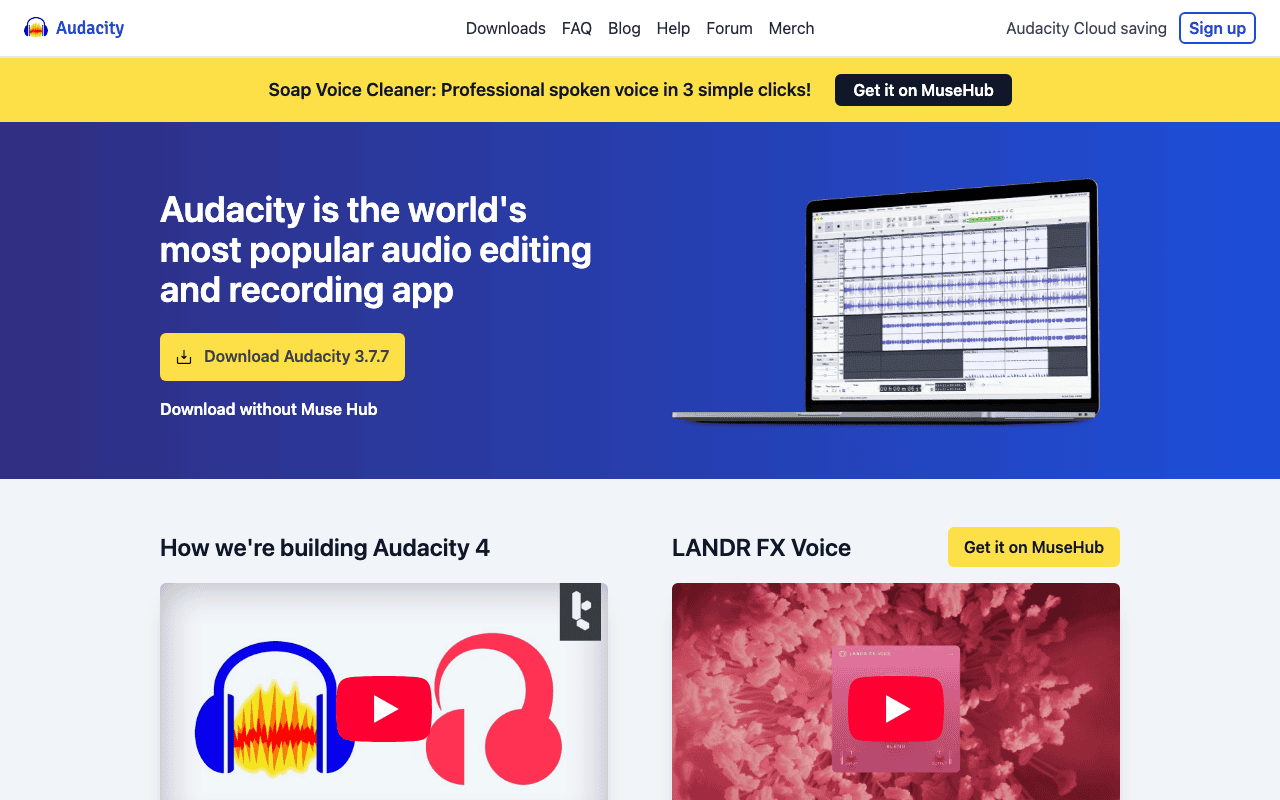
Audacity — Official Website
Our Verdict
GarageBand and Audacity stay tied on Mac in August 2026 because they solve different problems. For "Audacity or GarageBand" as a decision: songs and lessons → GarageBand; podcasts, restoration and cross-platform editing → Audacity. Audacity 3.7.8 brings waveform control, spectral tools, broad plugin support and batch export. GarageBand brings loops, instruments, Drummer and a Logic Pro path. Keep both if you do both jobs. Spend money only when GarageBand feels small (Logic Pro) or when you need a specialised commercial editor beyond Audacity.
Feature Comparison
| Feature | Audacity | GarageBand |
|---|---|---|
| Price | Free | Free |
| Open Source | Yes | No |
| Replaces | Adobe Audition ($22/month) | Logic Pro ($199.99) |
| Best for | audio, editing, recording | music, audio, apple |
| Install | brew install --cask audacity | brew install --cask garageband |
| Category | Media & Entertainment | Media & Entertainment |
Quick Install
brew install --cask audacitybrew install --cask garagebandLearn More
In-Depth Overview
What is Audacity?
Audacity is a free, open source multitrack audio editor and recorder for Windows, macOS and Linux. The 3.7.8 line through MuseHub or direct builds continues the current Audacity era under Muse Group with universal macOS binaries. It is strong on detailed waveform editing, a broad effects stack, plugin support that depends on platform packaging and includes VST, AU and LV2, plus labeling, spectral views and batch friendly workflows. You record and arrange multiple tracks, cut with sample accuracy, apply noise reduction that profiles background sound, and export to common formats including WAV, MP3, FLAC, OGG and AIFF through FFmpeg. Against GarageBand its limits are musical: little MIDI composition, no polished virtual instrument studio and a plain, functional interface that prioritizes waveform accuracy over loop arrangement. For speech, field recordings, podcasts and cleanup it stays a Mac staple.
What is GarageBand?
GarageBand is Apple's free DAW for Mac and iOS that makes music creation approachable. It includes a large sound library, software instruments, session Drummer and percussion, guitar and voice presets, loop browsing, multi take recording and straightforward mixing and export. You arrange colored regions on a timeline, pick loops from the library, play software instruments, and shape sound with Smart Controls that show relevant EQ and effect parameters for the selected track. Projects can move to Logic Pro with familiar concepts, and GarageBand exports to Apple Music, SoundCloud, MP3, AAC, AIFF and WAV. GarageBand is not the right tool for forensic repair or cross platform collaboration with Windows editors. That work belongs to Audacity. For songwriting on a Mac it remains hard to beat at no cost.
Detailed Feature Comparison
Audio Recording & Editing
CriticalAudacity handles precise waveform editing, spectral analysis, multi track recording, sample level editing and thorough tools for cutting, trimming and shaping audio with fine control. Label tracks and spectrogram views help you find and fix specific moments in long recordings.
GarageBand records well and offers trimming, splitting and arrangement on a visual timeline. It lacks waveform level precision, spectral analysis and advanced post processing tools for surgical edits.
Verdict: Audacity is built for editing and includes tools GarageBand does not have, including spectral analysis and sample level control.
Music Creation & Virtual Instruments
CriticalAudacity does not include virtual instruments, MIDI sequencing, Apple Loops or music composition features. It edits audio, it does not compose it.
GarageBand includes a wide set of virtual instruments, thousands of Apple Loops, Drummer tracks, amp modeling and a complete composition environment with up to 255 tracks. The library and Smart Controls make arrangement accessible even for beginners.
Verdict: GarageBand is a complete environment for making music. Audacity can only edit existing audio.
Noise Reduction & Audio Restoration
HighAudacity's noise reduction uses spectral profiling to remove background noise, hum and hiss. It also has click removal, repair and EQ for restoration, plus label driven edits that help with long podcast and archival sessions.
GarageBand has a basic noise gate but no dedicated noise reduction, spectral profiling or restoration tools.
Verdict: Audacity's restoration tools matter for podcast work and archival cleanup. GarageBand does not compete here.
Plugin Support
HighAudacity supports VST, Audio Units, LADSPA and Nyquist plugins, which opens access to many free and commercial audio processors. The exact formats available depend on how you installed Audacity.
GarageBand supports Audio Units, including third party instruments and effects from Apple's ecosystem. The selection is solid for music production but limited to the AU format only.
Verdict: Audacity covers more plugin formats. GarageBand's AU library leans toward instruments.
Export Formats & Compatibility
MediumAudacity exports to WAV, MP3, FLAC, OGG, AIFF and more. It handles batch export and covers many formats through FFmpeg, which is useful when you prepare files for different platforms.
GarageBand exports to MP3, AAC, AIFF and WAV, and can send directly to Apple Music and SoundCloud or hand projects to Logic Pro. Format choice is narrower than Audacity and there is no batch conversion.
Verdict: Audacity covers more export formats and batch work, which helps in conversion heavy workflows.
User Interface & Learning Curve
MediumAudacity's interface has been updated but stays plain and functional. Basic editing is easy to pick up, advanced features take learning. Documentation is thorough, with a long running manual that covers every effect and tool.
GarageBand follows macOS conventions with a clear timeline and drag and drop loops. Built in lessons and a visual layout make it approachable for beginners.
Verdict: GarageBand is easier for beginners to start with. Audacity is functional and rewards time spent learning it.
Who Should Choose Which?
1The Podcast Producer
Recording interviews, removing background noise, normalizing audio levels, editing out mistakes, and exporting to MP3 are all core Audacity strengths. GarageBand can record audio but lacks the post-production tools podcasters need.
2The Aspiring Songwriter
Composing songs with virtual instruments, building beats with Drummer, layering Apple Loops, and recording guitar through amp modeling, GarageBand is a complete songwriting studio that Audacity cannot replicate.
3The Audiobook Narrator
Long-form audio recording with noise reduction, consistent loudness normalization (required for ACX/Audible standards), and batch export of chapters make Audacity essential for audiobook production.
4The YouTube Content Creator
Creating background music, jingles, and intros for YouTube videos is easier in GarageBand's loop-based environment. For editing voiceover separately, use Audacity, but for original music creation, GarageBand excels.
5The Audio Archivist
Digitizing vinyl records or cassettes, removing clicks and pops, reducing tape hiss, and converting between formats, these audio restoration tasks are Audacity's specialty.
6The Podcast Team Handling Remote Interviews
Teams that receive raw remote interviews need cleanup first. Audacity's noise reduction handles room tone, hiss and air conditioning hum, and the spectrogram helps you spot problem frequencies visually. You can select regions and treat them without affecting the rest of the track. GarageBand can cut and arrange, but its music focused layout makes this kind of repair slower.
7The Classroom Music Teacher
Teachers introducing songwriting benefit from GarageBand's loop library, Drummer and Smart Controls. A beginner can drag loops to sketch a backing track, record vocals or guitar and adjust EQ and reverb without deep engineering knowledge. Learn to Play adds guided guitar and piano lessons that work well in a classroom.
8The Accessibility and Forensics Reviewer
Work that needs precise measurement benefits from Audacity's analysis tools. Spectrogram views, frequency analysis and filters with exact numeric values support forensic review, hearing aid test recordings and accessibility checks where decibel accuracy matters.
9The Windows Collaborator on a Mac Podcast
When one host edits on Mac and another on Windows, Audacity is the shared free project language. GarageBand project files stay on Apple hardware. Export policy: raw WAV from each recorder, edit in Audacity, return MP3 masters.
10The Hobby Musician Who Also Cuts Voiceovers
Write beds and songs in GarageBand, then drop rendered audio into Audacity beside the voice track for noise reduction and loudness matching. Trying to force either app to do the other's job usually costs more time than learning a two-app export habit.
Migration Guide
Audacity → Garageband
Audacity projects (.aup3) do not open in GarageBand. Export each track or the mix as WAV or AIFF at the project sample rate, then File → Import → Audio in GarageBand. Effect chains, label tracks and spectrogram markers do not transfer. Bounce processed audio before you leave Audacity, or re-apply EQ and compression with GarageBand Smart Controls. If you only need a music bed under cleaned speech, import the finished Audacity mix as one audio region and build instruments around it.
Garageband → Audacity
Export GarageBand tracks as stems (Share → Export Song to Disk, or bounce individual tracks) as WAV or AIFF. Import stems as separate tracks in Audacity. MIDI regions and software instruments do not travel: freeze or bounce MIDI to audio inside GarageBand first. Apple Loops remain Apple Loops only inside Apple software; treat them as rendered audio once they leave GarageBand.
Pro Tips
Many Mac creators sketch songs and beds in GarageBand, then run final speech cleanup, loudness normalisation and format conversion in Audacity. Agree on sample rate and bit depth before handoff (44.1 kHz / 24-bit is a common podcast middle ground; music projects often stay at 48 kHz). Never rely on .band packages as a shared archive outside Apple machines. Keep a WAV master plus a project backup on each side of the workflow.
Final Verdict
tie
Score
Audacity
Score
GarageBand
Scores are Bundl.run editorial ratings out of 10 across 6 criteria (the feature comparison above), last reviewed August 2026.
GarageBand and Audacity stay tied on Mac in August 2026 because they solve different problems. For "Audacity or GarageBand" as a decision: songs and lessons → GarageBand; podcasts, restoration and cross-platform editing → Audacity. Audacity 3.7.8 brings waveform control, spectral tools, broad plugin support and batch export. GarageBand brings loops, instruments, Drummer and a Logic Pro path. Keep both if you do both jobs. Spend money only when GarageBand feels small (Logic Pro) or when you need a specialised commercial editor beyond Audacity.
Bottom Line: Create music in GarageBand. Edit and repair audio in Audacity. If your search was only "which free app for Mac audio", answer with the deliverable: song or speech. That single fork beats any score table.
Video Tutorials
How To Install and Use Audacity on Mac OS
Bit9 Tutorials • 4.1K views
Audacity - Tutorial for Beginners in 9 MINUTES ! [ FULL GUIDE 2025 ]
Skills Factory • 65.6K views
Audacity Tutorial For Beginners
Mike Russell • 666.4K views
How to Install and Use Audacity on macOS
thecoderworld • 10.4K views
Frequently Asked Questions
Audacity or GarageBand: which should I install first?
Is Audacity still free in 2026?
Is GarageBand free on Mac?
Which is better for podcasts: Audacity or GarageBand?
Which is better for making songs?
Can Audacity open GarageBand projects?
Does GarageBand run on Windows?
What are the dealbreakers for each app?
Do I need Logic Pro instead of GarageBand?
Is Audacity safe after Muse Group ownership?
Audacity vs GarageBand vs Logic Pro: when does the third option win?
About the Author

Explore More on Bundl
Browse audio editing apps, read our complete guide, or discover curated bundles.
Sources & References
Fact-CheckedLast verified: Aug 9, 2026
Key Verified Facts
- Audacity 3.7.8 is offered as a free download for macOS from the official Audacity site.[cite-audacity-official]
- GarageBand for Mac is free music creation software from Apple with instruments, loops, and recording tools.[cite-garageband-apple]
- Logic Pro remains Apple's paid pro upgrade path related to the GarageBand learning curve.[cite-logic-garageband]
- 1Audacity - Free Audio Editor and Recorder
Accessed Aug 9, 2026
- 2GarageBand for Mac - Apple
Accessed Aug 9, 2026
- 3Audacity Plugin Support Documentation
Accessed Aug 9, 2026
- 4Muse Group - Audacity
Accessed Aug 9, 2026
- 5Logic Pro and GarageBand Integration
Accessed Aug 9, 2026
- 6Audacity effects manual
Accessed Aug 9, 2026
- 7Audacity GitHub releases
Accessed Aug 9, 2026
- 8MuseHub Audacity distribution
Accessed Aug 9, 2026
Research queries: Audacity 3.7.8 download 2026; GarageBand for Mac free Apple; Audacity vs GarageBand podcast music
Related Technologies & Concepts
Related Topics
macOS Audio Production
Audio recording, editing, and music creation software available for Apple's desktop platform.
Podcast Production Tools
Software and hardware for recording, editing, and publishing podcasts.
Free Creative Software
High-quality creative applications available at no cost for content creators.